
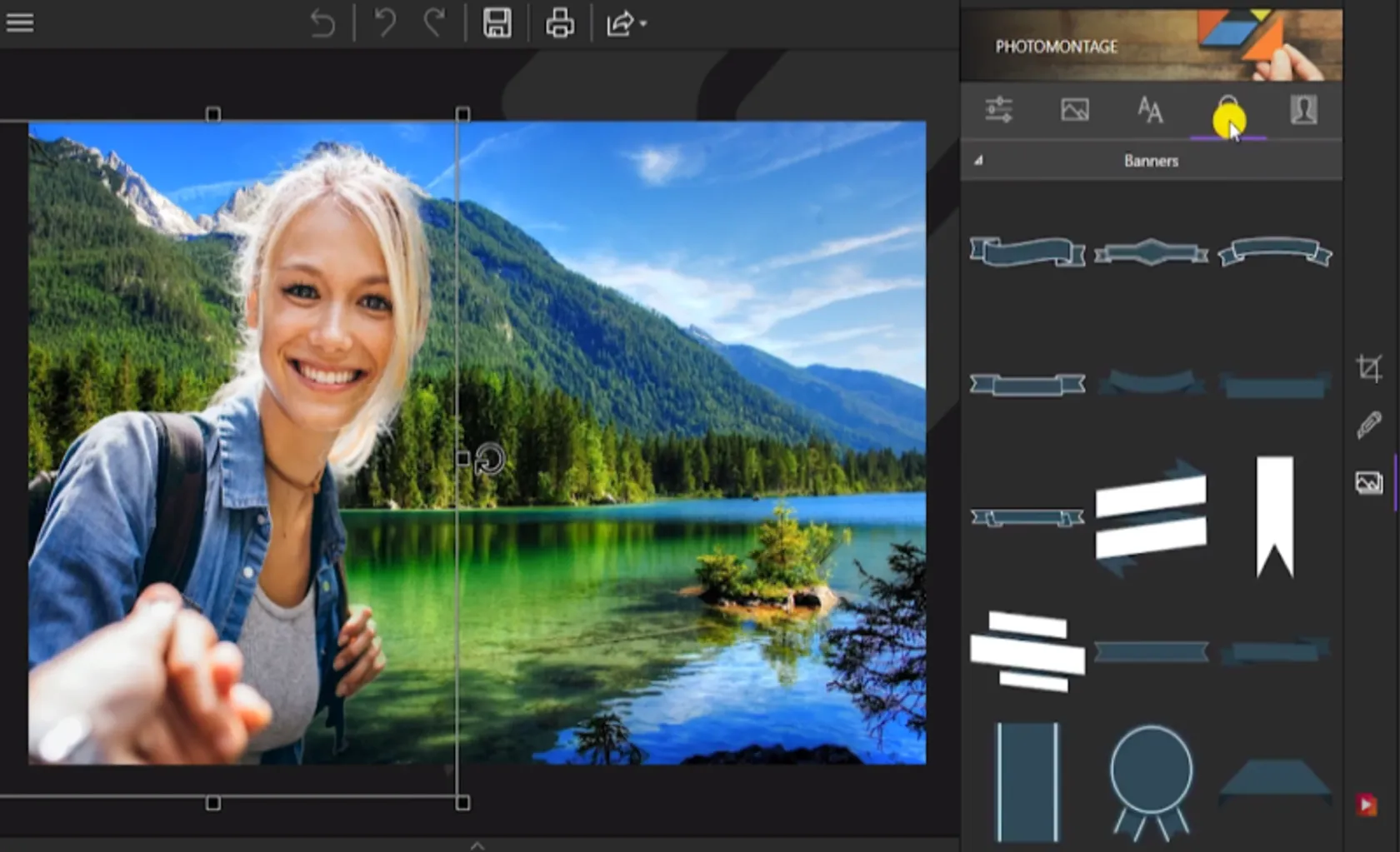
Finding the best easy photo editing software can significantly enhance your photographic experience. With the rapid growth of digital photography, having user-friendly and effective photo editing tools is crucial for both amateurs and professionals. In 2024, we’ve compiled a list of the best easy photo editing software available on Amazon, ensuring you get the most value for your money while honing your editing skills. Whether you’re looking to touch up family photos or enhance professional images, these products rank as the top contenders for the title of “best best easy photo g software.”
No products found.
Buying Guide for Best Easy Photo Editing Software
Before diving into the reviews of the top 10 easy photo editing software, let’s explore what to consider when selecting the ideal program for your needs. Below are key factors to keep in mind:
1. User Interface
A user-friendly interface is essential, especially for beginners. Look for software that offers an intuitive layout, easily accessible tools, and clear navigation.
2. Features
Consider what features are most important to you. This may include basic editing tools like cropping and filters, as well as advanced options like layers and masks. Ensure the software you choose fits your specific requirements.
3. Compatibility
Make sure the software is compatible with your operating system, whether it’s Windows, macOS, or even mobile devices. Cross-platform functionality can be a bonus.
4. Price
Determine your budget. There are plenty of free and paid options available. Paid software often offers more advanced features, but there are many affordable solutions that deliver excellent performance.
5. Customer Support
A good customer support system can be invaluable, especially as you learn to use new software. Check reviews to see if the provider offers robust support options like tutorials, forums, and direct assistance.
6. Community and Tutorials
A vibrant community can enhance your learning experience. Look for software that has plenty of user-generated content and tutorials to help you make the most of the tools available.
Top 10 Easy Photo Editing Software on Amazon in 2024
1. Adobe Photoshop Elements 2024
Adobe Photoshop Elements is a simpler and more streamlined version of Adobe’s flagship software. This program is perfect for hobbyists and casual users who want powerful editing capabilities without the complexity of Photoshop CC. Key features include guided edits, automated photo enhancement, and an easy-to-use interface.
Elements 2024 offers advanced tools such as content-aware editing, making it easy to remove or replace objects in your photos, along with an extensive library of filters and effects.
Price: $99.99
Overall, Adobe Photoshop Elements remains a top choice for anyone looking for the best best easy photo g software with robust features but less complexity.
No products found.
2. Corel PaintShop Pro 2024
Corel PaintShop Pro is an all-in-one photo editing software that strikes a balance between professional-level tools and user-friendliness. The 2024 version introduces AI-powered photo editing options, such as AI Upsampling, which enhances image quality while enlarging images.
With features like layer management, one-click fixes, and a variety of creative filters, PaintShop Pro offers versatility for photographers and digital artists alike.
Price: $79.99
This software is especially suited for users looking for a one-time purchase rather than a subscription model.
No products found.
3. CyberLink PhotoDirector 14
CyberLink PhotoDirector provides a user-friendly interface packed with essential tools for photo editing and organizing. The 2024 version focuses heavily on an easy workflow, combining editing, organizing, and sharing capabilities into one intuitive platform.
Notable features include AI-based Masking tools, a photo retouching suite, and creative templates for quick edits. The software excels in integrating video and photo editing, making it a unique offering in the market.
Price: $89.99
PhotoDirector is an ideal choice for users who enjoy both photography and videography.
No products found.
4. Affinity Photo 2
Affinity Photo stands out for its one-time payment structure, making it a budget-friendly alternative for those who need professional photo editing software without ongoing costs. The software is known for its speed and precision, with a full suite of editing tools.
Version 2 includes improvements in real-time editing and professional-grade features like advanced selection tools, frequency separation, and 360-degree image editing. Its user interface is intuitive and customizable, appealing to both beginners and pros.
Price: $54.99
Affinity Photo is highly regarded for its value and performance, qualifying it as one of the best best easy photo g software options.
No products found.
5. GIMP (GNU Image Manipulation Program)
GIMP is a free and open-source photo editing software that has gained immense popularity due to its extensive capabilities rivaling that of premium software. While it may have a steeper learning curve compared to others in this list, it offers advanced features like layer support, customizable brushes, and scripting capabilities.
The software has a supportive community that provides tutorials and plugins, enhancing its functionality. Although it doesn’t come with a traditional price tag, donations to support development are encouraged.
GIMP is ideal for those who need powerful editing tools without any upfront costs.
No products found.
6. Movavi Photo Editor 2024
Movavi Photo Editor balances ease of use with powerful editing tools. Version 2024 comes packed with features such as background removal, object insertion, and magic enhancement tools for quick fixes.
The drag-and-drop interface makes it accessible for users at any skill level. Additionally, Movavi offers an excellent set of cropping tools and filters, making it easy to transform ordinary photos into stunning works of art.
Price: $59.95
Movavi is a great option for those seeking a straightforward photo editing solution.
No products found.
7. Luminar AI
Luminar AI uses artificial intelligence to simplify photo editing, making it a revolutionary tool in the market. The software automates complex tasks, allowing users to focus on their creativity rather than routine adjustments.
Key features include AI Sky Replacement, skin retouching, and a variety of templates to enhance productivity. Additionally, its intuitive interface allows for seamless editing, making advanced techniques accessible to beginners.
Price: $79.00
Luminar AI is perfect for users who want an engaging editing experience with minimal effort.
No products found.
8. Paint.NET
Paint.NET is another free photo editing software that offers a good mix of simplicity and advanced features. With an active development community, this program provides easy access to a plethora of plugins that can enhance its functionality.
Features such as layers, blending modes, and a wide range of effects make it a powerful tool for users who need flexibility in their editing process.
Although not as feature-rich as some paid software, Paint.NET excels in its ease of use, making it perfect for beginners and casual users.
No products found.
9. Snapseed (Mobile)
Snapseed is a free mobile app by Google, providing a powerful editing experience on the go. With a user-friendly touch interface, Snapseed offers a variety of filters, frames, and editing tools to enhance your smartphone photos.
Features include selective adjustments, brushes, and the ability to create custom looks. Its versatility and accessibility make Snapseed a favorite among mobile photographers looking for an easy editing solution.
No products found.
10. Fotor
Fotor is an online photo editor that allows users to edit images directly in their browsers. It offers numerous templates for creating collages or designs alongside basic editing tools. The software is especially appealing to users creating social media content, thanks to its array of creative filters and effects.
Fotor also provides a premium subscription offering additional features and advanced editing capabilities. The free version remains highly effective and user-friendly for casual users.
No products found.
Conclusion
When searching for the best best easy photo g software in 2024, these ten products provide a range of options to suit different skill levels and editing needs. From powerful software like Adobe Photoshop Elements and Corel PaintShop Pro to free alternatives like GIMP and Paint.NET, each product brings unique features and advantages. When choosing the best fit for you, consider factors such as ease of use, features, and pricing to make the most informed decision.
Take your photography to the next level with these excellent software choices, each designed to make photo editing an enjoyable and creative process. Remember to leverage the buying guide above to help you navigate each option before making your purchase. Happy editing!
Last update on 2026-11-13 / Affiliate links / Images from Amazon Product Advertising API | hishecozy.com is a participant in the Amazon Associate program and will earn from qualifying purchases.
