

- 【Crystal Clear 1.85" Display & Reliable IP68 Waterproof】Experience fluid navigation with the 1.85-inch HD full-touch screen, powered by upgraded sensors for zero-lag operation. Whether you're swimming or sweating, the IP68 waterproof rating ensures durability during most water sports. Redesigned with Bluetooth 5.4, the D1 smartwatch provides a reinforced stable connection and faster data sync, ensuring your watch stays paired with your device throughout the day.
- 【Health Tracker】D1 fitness watch features over 100 sports modes, which can meet the need of most sports enthusiasts. It can automatically track your daily steps, distance, and calories. 24/7 heart rate monitoring to help you better understand your physical condition. Use the in-depth sleep analysis to understand your REM/Light sleep cycles, helping you build healthier habits and a balanced lifestyle based on real-time data.
- 【Make/Answer Calls & Instant Smart Notifications】Never miss a beat while on the go. Once paired via Bluetooth, you can make and answer crystal-clear calls directly from your wrist. The optimized notification system ensures you receive vibrations for incoming texts and social media alerts (Facebook, WhatsApp, Instagram, etc.) without delay. It's the perfect hands-free companion for driving, working, or exercising.
- 【Seamless Compatibility & Personalized Watch Faces】D1 smart watch works as an extension of your phone so you can do more while on the go, bringing more convenience to your life. It works seamlessly with iPhone and Android phones. Setting up is easy with our step-by-step pairing guide. This smart watch can offer over 200 personalized watch faces to choose from, and you can also customize your watch face with your favorite photos to highlight your unique personality.
- 【All-Day Stress Management & Mental Wellness】 Take a deep breath and let the D1 watch guide you to a calmer state. Featuring real-time Stress Tracking and Mood Monitoring, this smartwatch helps you identify emotional patterns throughout the day. When stress levels peak, you can use the built-in Guided Breathing exercises offering instant relaxation to center your mind. It’s more than a fitness tracker; it’s a dedicated wellness companion that cares for your mental health as much as your physical performance.
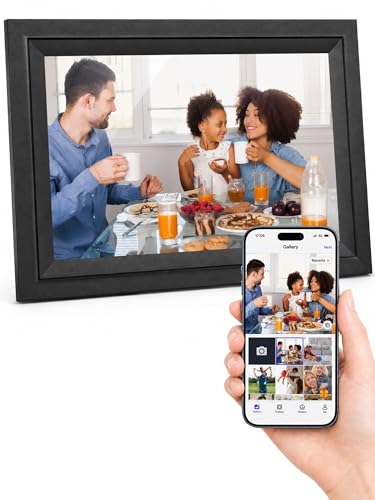
- 【Private Sharing, Boundless Love】: Instantly and privately update your life moments and send wishes to the digital picture frame with phone app. Stay connected with family at anytime anywhere. This photo frame is a perfect gift for mom, women, grandparents and family on Birthday, Mother's Day, Father's Day, Thanksgiving, Christmas.
- 【Easy to Upload in Multiple Ways】: Connect the digital frame to WiFi and share photos and videos(Max.120s) via Uhale Phone App(iOS/Android), no users limited, let loved ones enjoy your wonderful moments within seconds. It has 16GB built-in memory and support to play directly from max.32GB micro SD card. You can also transfer photos from a computer with USB cable, no Wi-Fi needed.
- 【10.1 Inch Touch Screen】: Display clear photo and video with 1280*800 high definition on the 10.1 inch IPS LCD panel at full angle, Only a few steps to complete the setup in minutes, touch screen allows you to view and operate photos easily on the digital photo frame. Easy to place the picture frame on table or hang it on wall in portrait or landscape mode.
- 【Large Storage&32GB Extended Support】: Built-in 16GB memory and support to play directly from a max 32GB micro SD card to extend storage or import, export, backup files in bulk.Supports picture format by JPG/JPEG/BMP/PNG and video format by MP4.
- 【Impressive Features】: Withdraw photo via App, send instant or timed wishes, sleep mode, show/hide picture, weather&time, add favorite photo, single repeat, adjustable brightness and display order and slideshow time ...The smart photo frame offers multiple customized settings to relive your precious memories.

- Smart Digital Calendar - Latest design with highest quality and innovative features. This sits on your counter, desk, or table to show date, weather forecast and current conditions, your favorite photos, and your calendar and schedule so you never miss a date, appointment, or activity. Make life easier and more enjoyable with the SyncGo Digital Calendar.
- Displays Your Favorite Photos - Enjoy high resolution photos of your wedding, kids, family, and favorite activities. Creates a positive mood filled with special memories. This beautiful digital photo frame with real wood look lets you slide through your photos simply by touching the screen. It's easy to modify photos to your preference for a perfect look.
- Calendar Syncs With Google - Smart calendar securely syncs with your Google Calendar via built-in Wifi. Updates automatically to let you check events at a glance for the next few days, next week, or next month. Great for checking appointments when talking on the phone or visiting with family.
- 5 Day Weather Forecast - Displays always updated 5 day weather forecast along with current conditions for your exact location. Never again be surprised by unexpected weather. Lets you know how to dress at a glance. Very convenient for placing on your bedroom nightstand, dresser or on a bathroom counter
- Great Gift Idea - Makes a fabulous birthday, Mother's Day, anniversary, Valentines, wedding present or Christmas gift. Everyone loves this stylish, easy to use smart digital calendar that adds so much to life. Many people are buying several to place around their home and take to work. It's selling fast after being spotlighted as one of this year's best electronic gadgets and a must-have value.
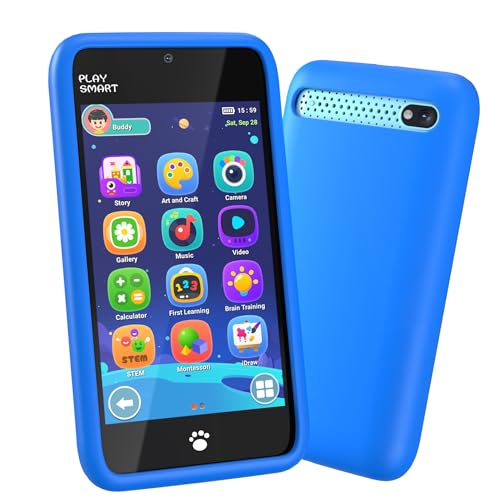
- Kids Toys Phone with 220+ Games for Fun and Learning: MOMILLA is a kids phone designed for younger boys who love games, pretend play, and hands-on learning. With 220+ games plus paint, alarm clock, timer, stopwatch, and calculator, this phone for kids keeps little ones engaged at home, during quiet time, or on the go.
- Kids Smart Phone with Dual Camera for Creative Play: MOMILLA kids phone features a bright 3.97" touchscreen and dual camera design so kids can take photos, record videos, and enjoy 49 stickers including emojis and photo frame. It works as both a toy phone and a camera for kids, giving boys and girls a fun first-phone experience that feels exciting and interactive.
- Toy Phone Built for Everyday Play and Travel: Made for active kids, this kids toys phone includes a soft protective case and a 1500mAh battery for daily play at home, in the car, or while traveling. A great choice for families looking for kids travel toys, toddler boy toys, or a screen-time alternative that feels more special than ordinary boy toys.
- Parental Controls and Soothing Sounds in One Device: MOMILLA kid phone mini phone includes parental controls with password protection, app management, time management, and kid account settings, so parents can guide how the device is used. It also includes 21 soothing songs and white noise options, making it useful for quiet play, rest time, and bedtime routines.
- Great Gift for Boys Ages 3-8: With its bright blue design, easy-to-use touchscreen, fun games, and camera features, this cell phone for kids makes a thoughtful birthday or holiday gift. A smart pick for families shopping for boys toys age 4-6, a gift for 3-12 year old boy, or a fun first kids phone for everyday play.

- Upgrade to a Fast and Stable Ride: The 2024 Pro Edition Wireless Carplay adapter takes Wireless Carplay Adapter for apple to the next level. With its compact design, Wireless Carplay Adapter for apple saves space while delivering powerful performance through Dual-Core CPU, V5.3 Bluetooth, and 5.8GHz WiFi for 100% image and sound reproduction. Enjoy a faster, more stable connection with no lag, Carplay Wireless Adapter turns the car screen into your second Phone. The included Type-C adapter allows the device to support both USB-A and Type-C ports, enhancing your flexibility
- Secure & Smooth Original Android Auto / CarPlay Apps: The CarPlay Wireless Adapter for Apple supports all original apps that are compatible with CarPlay or Android Auto. It's simple. Just search for "CarPlay" or "Android Auto" in the APP Store, you can use music, navigation, and calls. But for safe driving, the CarPlay Wireless Adapter does not support video apps like YouTube
- Seamless Control & Enhanced Siri: The Carplay Wireless Adapter supports all the original car control modes: Voice Control, Touchscreen, OEM Knob, and Wheel Control, allowing you to enjoy the convenience of Wireless Carplay / Android Auto Car life while driving safely. Android Auto Wireless Adapter has specially optimized the Google voice assistant. Just say "Hey Google" followed by your command, and Google voice assistant will respond instantly, executing your commands on the car's system
- Plug-and-Play 2-in-1 Wireless Carplay and Android Auto Adapter: The 2-in-1 Android Auto and Carplay Wireless Adapter is plug-and-play and incredibly easy to use. Just plug the Wireless Carplay Adapter into your car's main USB port, then turn on your Phone's Wi-Fi and Bluetooth to pair with the Adapter. It initial setup takes only 30 seconds. When you use this adapter again, it will automatically reconnect in just 5 seconds. And it is 2-in-1 for Android Auto, Andriod 11+, also for Carplay, iOS10+ and iPhone 6 or above
- Begin Your New Journey with 2-in-1 Wireless Android Auto and Carplay Adapter: Android Auto Wireless Adapter is compatible with Android Phone running Android 11 or later, and cars with wired Android Auto launched after 2016. Wireless Carplay Adapter is compatible with iPhone 6 or above running iOS10+, and cars with wired Carplay launched after 2016

- Works on Windows 11, 10, & 8 and includes a lifetime license.
- Get AnyTime Organizer information on your iPhone & Android Apps!
- Stay organized 24/7! Keep your calendar up-to-date in real time
- Take advantage of exclusive layouts like Weekend Planner, 3-Day Travel Planner, and Tri-Fold Address Book. Create a PDF of any layout and e-mail your schedule to others.
- Keeps record of accomplished tasks; set deadlines, track, prioritize, sub-prioritize, and add alarms and important notes for to-do’s
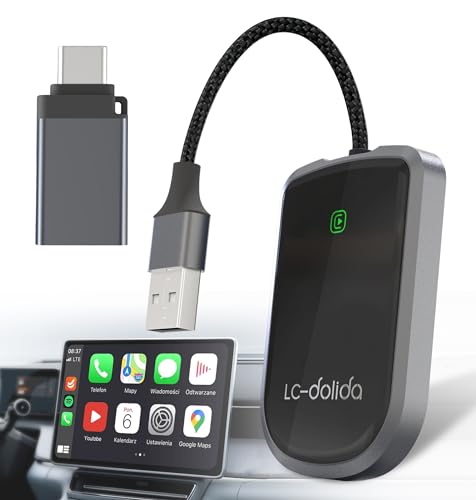
- 【 Smart Driving】: The 2024 Upgrade 5A magic link CarPlay box control everything with a word, Or a touch, Or a twist. Save your 40% of time by quick auto conn and seamless operation, such as navigation, music playing, Siri assistant, phone calls etc.
- 【Truly Plug & Play】: CarPlay Adapter for Apple is easy to install. No need for any complicated wiring or tools. Just plug it into your car's USB port and connect it to your USB/Type C cable, compatible with almost car models which have factory CarPlay.
- 【 Cortex-A7 Microchip Tech】: You can 20X faster than other car play take google maps, media, and messaging apps to car display. Unique black 7A chip keeps excellent performance in Anti-Oxidant, hardness, corrosion, and Temperature tests (-25°C to 80°C).
- 【Even Wider Compatibility】: The Wireless CarPlay dongle compatible with 800+ car models. Compatible with: Ford Chevrolet Toyota Subaru Jeep Honda Nissan Cadillac RAM mercedes Peugeot Lincoln Volvo Porsche Benz etc. *Your car must have a factory wired CarPlay system.
- 【 Fully Automated Driving】: After the first installation, this adapter will automatically start and quickly connect to the iPhone when the car engine starts. Even if your phone is in your pocket or backpack, the wireless carplay adapter to quickly identify your phone.
The Best Calendar Apps for iPhone in 2024
In this fast-paced digital world, having an efficient way to manage your time is crucial. The best calendar app for iPhone can make a significant difference in how you track your tasks, appointments, and life events. With countless options available on platforms like Amazon, finding the best solution tailored for your needs is essential. This article will explore the top 10 calendar apps available for the iPhone in 2024, delving into their features, pros, cons, and an in-depth buying guide to help you choose the right fit. Let’s get started!
Top 10 Calendar Apps for iPhone
1. Fantastical 3
Fantastical 3 is often hailed as one of the best calendar apps for iPhone, thanks to its intuitive interface and robust feature set. It supports natural language processing, allowing users to simply type or speak their events in a conversational manner. This app seamlessly integrates with various calendar services, including iCloud, Google, and Exchange, making it highly versatile.
Key features include a beautiful daily, weekly, monthly, and yearly view, customizable reminders, and the ability to create tasks alongside events. Its cost may be slightly higher, but many users find the investment worthwhile for the time-saving capabilities it offers.
If you want a sophisticated yet user-friendly calendar, Fantastical 3 is worth considering.

- Amazon Kindle Edition
- Ashley, Kristen (Author)
- English (Publication Language)
- 386 Pages - 12/07/2013 (Publication Date) - Rock Chick Press (Publisher)
2. Google Calendar
Google Calendar remains a popular choice for iPhone users, especially those heavily integrated into the Google ecosystem. It allows you to synchronize your schedules across devices easily, manage multiple calendars, and set location-based reminders. Additionally, its sharing capabilities are excellent, making it easy to coordinate with friends and colleagues.
With features like smart suggestions for event times and locations, Google Calendar is a powerful ally in managing your time effectively. The best part? It’s completely free, ensuring that anyone can take advantage of its robust features.
No products found.
3. Apple Calendar
As the native calendar app for iPhone, Apple Calendar offers a seamless experience for Apple users. It integrates perfectly with Siri, allowing you to add and manage events using voice commands. Users appreciate its clean interface and ease of use, particularly when managing appointments and reminders.
One of its standout features is the ability to share calendars, making it easy for families or teams to stay coordinated. Additionally, its integration with other Apple services, such as Contacts and Mail, ensures a hassle-free experience.
No products found.
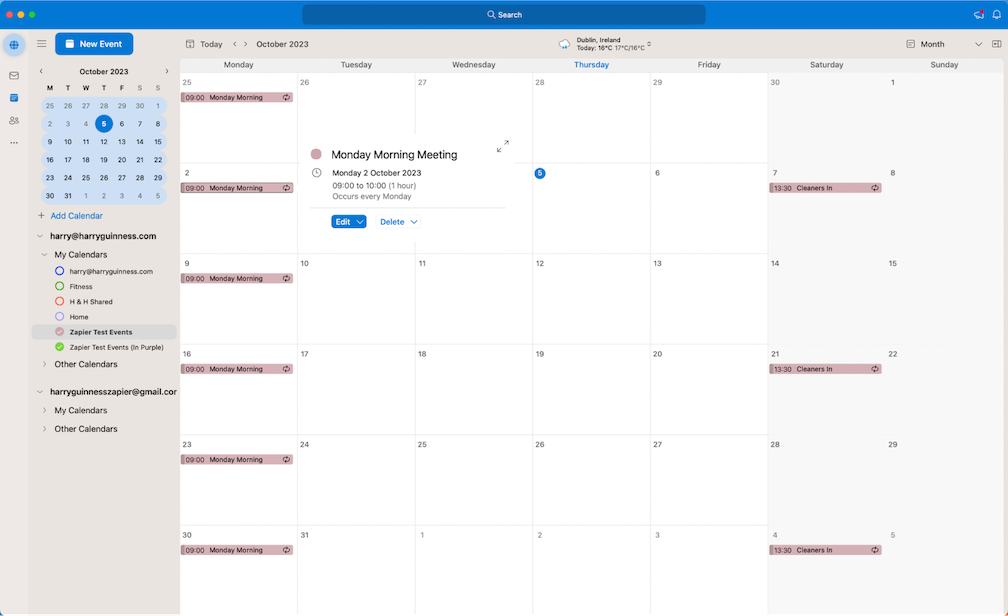
4. Microsoft Outlook
While primarily an email client, Microsoft Outlook has a robust calendar feature that is great for iPhone users who prefer an all-in-one application. It integrates mail, calendar, contacts, and tasks into a single interface, providing an impressive suite of tools for productivity.
The calendar feature supports multiple time zones, making it particularly useful for travel or remote workers. Moreover, it offers a focused interface where users can prioritize tasks and events based on urgency, helping them manage their time more effectively.
No products found.
5. Any.do
Any.do stands out as a calendar and task management app aimed at keeping users organized. What makes Any.do particularly special is its unique combination of a calendar, task manager, and planner. The app provides a daily planner feature that allows you to see your tasks alongside your events, helping you prioritize effectively.
Additionally, its integration with other platforms (like Google Calendar) ensures that you can easily sync events. The user interface is modern and simple, focusing on user experience, making it perfect for anyone looking for a straightforward yet effective way to manage their time.

- Alexa App is a companion to your Amazon Echo, Dot, Tap and Show for setup, remote control, and enhanced features.
- Amazon Echo is hands-free and voice-controlled, never requires charging, and is at home in the kitchen or in any room.
- Alexa is always ready to play your favorite music, provide weather and news updates, answer questions, create lists, and much more.
- English (Publication Language)
6. Trello
Trello is not a traditional calendar app but operates through boards that can be organized by project or task deadlines. Users can create individual cards for tasks, and the calendar view can help manage deadlines visually. This is perfect for collaborative work environments where teams need a centralized location for projects.
It offers integration with various other apps, and its flexibility allows users to customize it according to their project management styles. While some might prefer a traditional calendar layout, Trello’s unique approach can be beneficial for visual learners.
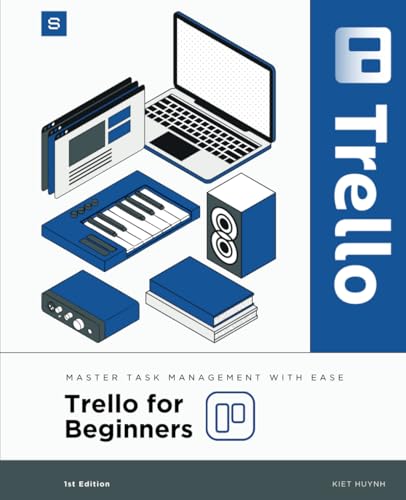
- Huynh, Kiet (Author)
- English (Publication Language)
- 274 Pages - 04/02/2025 (Publication Date) - Independently published (Publisher)
7. Timepage by Moleskine
Timepage from Moleskine brings a stylish twist to calendar management. It offers a sleek design and an intuitive interface, making it visually appealing for users who appreciate aesthetics. The app combines events, weather forecasts, maps, and customizable reminders all in one place.
Timepage features a unique heat map that shows how busy your days are at a glance, allowing you to plan your schedule effectively. For those who prefer an elegant layout without the clutter, Timepage is a worthy consideration.
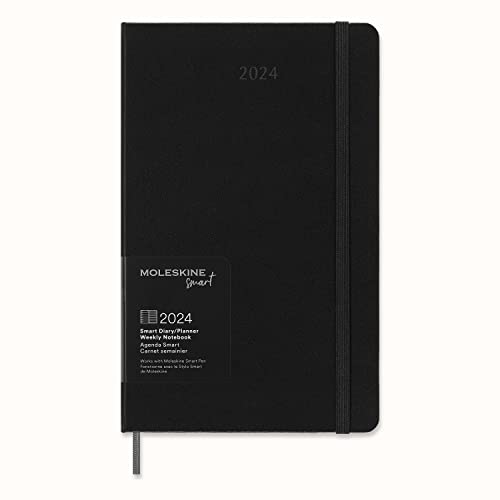
- Smart Planner: Combine a paper planner with the convenience & shareability of digital calendar apps. Sync your handwritten appointments to Google Calendar, Moleskine Timepage, iCal, & more.
- With Ncoded Technology: Invisible Ncoded technology embedded within each page enables the Moleskine Smart Pen to recognize where it is within the notebook and to transfer all your freehand notes from page to screen in real time via the Moleskine Notes app.
- From Page To Screen: Companion app seamlessly transfers what's written on the notebook page to your device, digitizing your analog notes & allowing you to notate, share, search, edit, & organize your vision. The app is both Android & Apple compatible
- Moleskine Versatility: In addition to the iconic notebook, the Moleskine family of products includes both digital & analog writing & lifestyle technology, including smart notebooks & apps, bags, notebooks, travel & digital accessories & writing tools.
- Moleskine Quality: We're dedicated to culture, travel, memory, imagination, and personal identity, both physical and digital; We bring this commitment to our notebooks, bags, apps, and smart pens and notebooks
8. Calendar 366 II
Calendar 366 II provides a unique perspective on calendar management with its robust feature set. It includes a comprehensive set of views: day, week, month, year, and list, giving users flexibility in how they manage their time. The app supports natural language input and offers color-coded events for better organization.
Users who work in multiple time zones will appreciate its time zone handling feature, making it easier to manage meetings or travel schedules. This app is perfect for anyone looking for versatility and feature depth in a calendar solution.
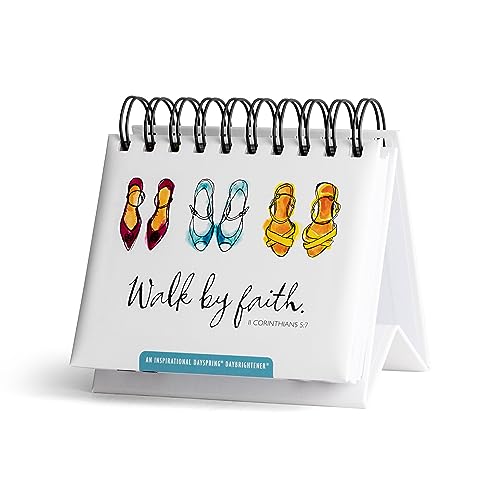
- DaySpring Inspirational DayBrighteners are undated flip calendars, packed with 366 pages of daily wisdom, inspirational quotes, positive affirmations, and Scripture just for you. You’ll be encouraged every day of the year.
- Compact 5.5 x 5.25 inch size and a built in easel stand makes it the perfect addition to your home décor. Display it on your desk, table, or shelf at home or in the office for daily inspiration.
- Each Scripture or positive affirmation page features the month and date (ex: October 19) so you can start your daily inspiration any time of year. The durable padded hardcover and spiral binding makes these perpetual calendars easy to flip year after year.
- Inspirational perpetual calendars are the perfect thoughtful gift to celebrate and encourage friends and family of all ages on any occasion.
- DaySpring offers Christian Cards, Books and gifts for All Occasions—Birthday, Christmas, Encouragement, Sympathy, and More—Cards to Help Encourage, Celebrate, and Connect with Others!
9. CalCalendar
CalCalendar is a free app that emphasizes simplicity and usability. Designed for those who prefer a straightforward approach, CalCanada delivers the essential features needed for calendar management without overwhelming users with unnecessary options.
While it may not offer extensive integrations or advanced features, it facilitates easy event management, reminder setups, and sharing capabilities. For users who want something lightweight for basic usage, CalCalendar fits the bill perfectly.
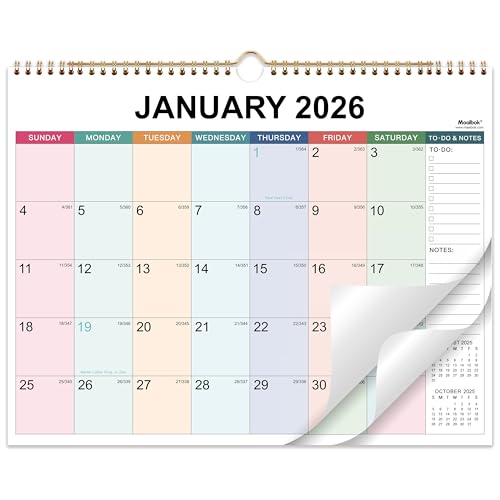
- Calendar 2026 Wall - Wall Calendar 2026 Covers 12 months for easier yearly planning or tracking. Size: 15'' x 12''
- MONTHLY OVERVIEW - Keep your handwriting neatly organized with daily blocks for each month. Spacious blocks provide plenty of writing space. Block size is 1.77" x 1.77''
- Track Daily Tasks and Long Term Goals - Past and Future Reference Calendars can help you plan easily and effectively. In addition, the notes field allows you to write down your ideas, thoughts, etc
- Special Features - Double-wire binding with hanging loop makes it easy to hang on the wall so that your monthly plan is visible at a glance
- Ink Bleed Resistant - Plan your schedule without worrying about ink bleed. Our improved, premium paper has superior bleed resistance to keep your plan neat and clear
10. My Study Life
If you’re a student, My Study Life is among the best calendar app for iPhone that you could download. It’s specially designed for students to manage their study schedules, assignments, and exams. The app allows you to add classes, tasks, and exams, providing an all-in-one platform to keep track of your academic commitments.
It presents your schedule in a simple, visually appealing layout and allows reminders for important deadlines. My Study Life is particularly helpful for those who need to juggle schoolwork with other commitments.

- Track your tasks - homework, assignments, reminders and revision. Store your tasks with ease in the cloud, accessible anywhere.
- Store exams - keep those all important exams alongside your classes and revision tasks.
- Manage your classes - your paper planner, turbocharged. Supporting day and week rotation timetables, advanced academic year/term support and integration into tasks you’ll wonder how you ever lived without it.
- Get notified - reminders for unfinished tasks, upcoming exams and classes before they even start.
- English (Publication Language)
Buying Guide for the Best Calendar App for iPhone
Choosing the best calendar app for iPhone depends on several factors, including your personal preferences, lifestyle, and specific needs. Here are some aspects to consider when making your choice:
1. User Interface and Experience
Look for an app with an intuitive design that suits your style. A clean interface makes it easier to navigate and reduces the learning curve associated with using a new app.
2. Integrations
Consider whether the app integrates with existing platforms you use, such as Google Calendar, Exchange, or your email service. This ensures a seamless experience and helps keep all your schedules in one place.
3. Features
Determine which features are most important to you. Do you need something as simple as event tracking, or might you benefit from advanced task management, reminders, and visual calendars? Some apps also offer weather forecasts, time zone support, and smart scheduling options.
4. Cost
Many apps are free or offer basic versions with optional premium features. Evaluate whether the extra features justify the price, especially if you plan to use the app extensively.
5. Reviews and Community Feedback
Check user reviews and ratings on the App Store and other platforms. This feedback can provide insight into the app’s reliability and user satisfaction. Consider the common praises and complaints to see if they align with your expectations.
6. Security and Privacy
Consider the privacy policy of the app, especially if you’ll be entering sensitive data. Ensure that the app follows industry standards for data protection and security.
Conclusion
There is no one-size-fits-all answer for the best calendar app for iPhone. The options available can cater to various needs, whether you’re a busy professional, a student, or someone managing a household. By considering the features, integrations, and overall usability, you can find a solution that fits your lifestyle perfectly in 2024.
So, take your time, explore the apps listed above, and select the one that best meets your needs. Happy scheduling!
Last update on 2026-08-06 / Affiliate links / Images from Amazon Product Advertising API | hishecozy.com is a participant in the Amazon Associate program and will earn from qualifying purchases.
