
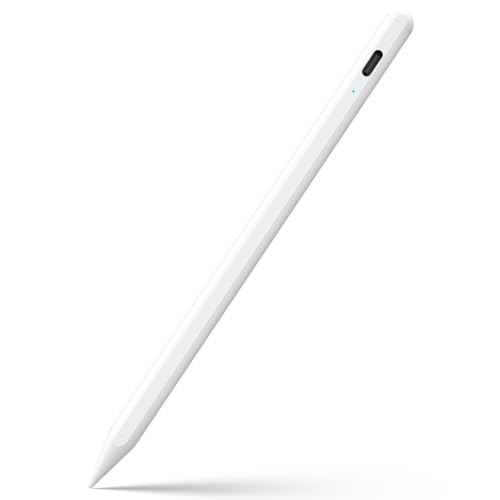
- 【Compatible with 2018-2026 iPad & iPad Pro】The stylus supports for iPad series 2018-2026 model: iPad Pro 13" (M4), iPad Pro 12.9"(3rd/4th/5th/6th), iPad Pro 11"(All Generations), iPad Air M4/M3/M2/5th/4th/3rd Gen, iPad 11th/10th/9th/8th/7th/6th, iPad Mini 7th/6th/5th Gen. Please confirm your devices before you place an order, another model is invalid
- 【Not compatible with models before 2018】The stylus doesn't support iPad pro 1st&2nd, iPad pro 10.5", iPad pro 9.7", iPad 1 to 5 Gen, iPad mini 1 to 4 Gen, iPad Air 1st/2nd Gen versions of iPad. Not Compatible With iPhone, Android, Microsoft devices.iPad 10gen cannt use magnetic attraction.
- 【Precise and Smooth】1.5mm pen tip can replace your finger to execute finer instructions, it easy to install and tear off the tips on your stylus pen without any tool. No lag/offset/breaking point!Compared with the ordinary stylus pen, it has higher sensitivity, more accurate signal, more comfortable hand. Not easy to break!【 Note 】The stylus pen no pressure-sensitive design.
- 【Palm Rejection Design】Stylus pen with palm rejection technology, rest your hand naturally on the screen while writing or drawing, effortless interaction with your screen, gives you more accuracy and control against the screen. We commend you to use this pen on the iPad with a glass screen protector.
- 【Touch Switch & Fast Charging】Activate this stylus pen with a simple touch of the cap button. A quick 5-20 minute charge provides 15 hours of work time. Please note: Ensure Bluetooth is enabled on your iPad for normal use, no pairing required.
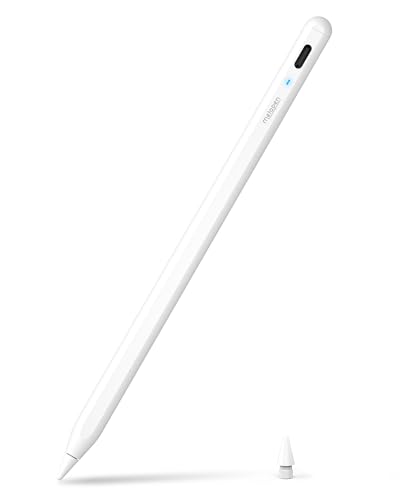
- 【0.1 mm Pixel Precise Without Delay】: The upgraded smart chip delivers pixel-level accuracy of 0.1 mm with high responsiveness, no breakpoints, and no delays. You can enjoy writing small words and drawing fine lines with ease, just like using a real pencil! NOTE: The iPad stylus does not support pressure sensitivity
- 【2X Faster Charge】: Metapen Pencil A8 fully charges in just 30 minutes via USB-C and lasts up to 10 hours. 1-min charge = 50-min use; 4 min fast charge = 2 hour use. The LED indicator displays different colors based on battery level, reminding you to recharge in time. It automatically shuts down after 5 minutes of inactivity for better energy efficiency. Note: A8 does not support magnetic charging or wireless charging via iPad.
- 【More Durable Tips】: Made of high-quality polymer, the Metapen's tips pass a 20 km durability test—2X more durable than original iPencil tips(NOTE:The package comes with two nibs, one already installed and one as a spare). Their internal structure remains intact even after 3,000 impacts. Each Metapen A8 pen comes with two extra replaceable tips , saving costs for frequent users
- 【Metal Barrel & Palm Rejection】: Metapen A8 Aluminum Metal Barrel iPad stylus pen supports Palm Rejection, so no need for a glove, with metal barrel, this stylus pen can provide you with a better writing experience. You can rest your palm or fingers on the screen during sketching, drawing, or writing. All-metal aluminum barrel: 4x harder, 10x more wear-resistant than plastic.Metal weight, metal strength. Not plastic. 200 MPa flexural strength, survives 1.2m drops 50+ times. A stronger and more durable iPad A16 penicl for Child/Kids than plastic iPad pencil.
- 【Quick Connect and Double Magnets】: No need to connect via Bluetooth or apps. Simply double-tap the invisible touch switch on the rounded end of A8 to power ON/OFF. With two built-in magnets, the Metapen iPad Pen securely attaches to your iPad anytime, no more rolling away or getting lost. (NOTE: Wireless Charging is NOT Supported. NO magnetic attachment for iPad Air 3rd/M2/M3 Gen, iPad 6th/7th/8th/9th/10th/11th Gen, iPad mini 5th/7th, iPad Pro M4)
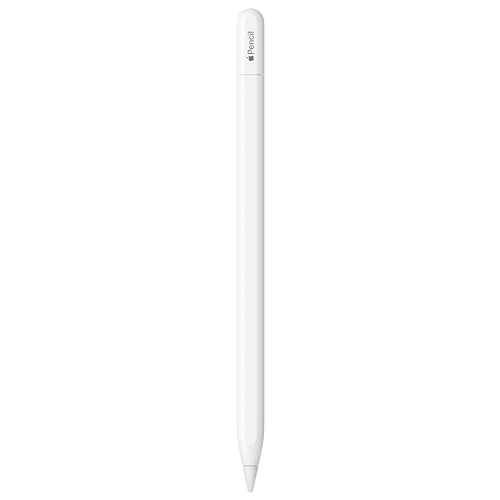
- WHY APPLE PENCIL - With pixel-perfect precision, tilt sensitivity, and low latency, Apple Pencil (USB-C) makes note-taking, signing documents, and drawing easy at an affordable price. It pairs and charges via USB-C and can magnetically attach to your iPad.
- COMPATIBILITY - Apple Pencil (USB-C) works with iPad Pro 13-inch (M4 and M5); iPad Pro 12.9-inch (3rd, 4th, 5th, and 6th generation); iPad Pro 11-inch (M4 and M5); iPad Pro 11-inch (1st, 2nd, 3rd, and 4th generation); iPad Air 13-inch (M2, M3, M4); iPad Air 11-inch (M2 and M3); iPad Air (4th and 5th generation); iPad (A16), iPad mini (A17 Pro), iPad mini (6th generation); and iPad (10th generation).
- EASY AND NATURAL - Write, sketch, and draw with pixel-perfect precision. Apple Pencil (USB-C) does it all with low latency and tilt sensitivity. Apple Pencil pairs and charges via USB-C and features a flat edge that attaches magnetically.
- TRANSFORMS IPAD INTO A CANVAS - Draw, sketch, color, take notes, and mark up documents. Use built-in apps like Notes and Freeform, or choose from over a million more apps available on the App Store. And for pros, use Apple Pencil hover on iPad Pro and iPad Air to preview your mark before you make it.
- WHAT'S IN THE BOX - Apple Pencil (USB-C)

- [How to Use]- Long press the control button 3S to turn ON/OFF the pen, when the light is flashing, the pen is discoverable via Bluetooth, when connected, you can display the power of the pen on your iPad and use the shortcut function. If the pen doesn't work after turning on, please follow the steps to disconnect the Bluetooth connection between your iPad and Apple Pencil: Settings > Bluetooth > Apple Pencil > tap "i" > Forget this device
- [Importand *Compatible Models*]- This pen are compatible with all iPad released in 2018 or later. The compatible Models are: iPad A16 11th/10th/9th/8th/7th/6th Gen, iPad mini A17 Pro, iPad Mini 7th/6th/5th Gen, iPad Air 13-inch (M4/M3/M2), iPad Air 11-inch (M4/M3/M2), iPad Air 7th/6th/5th/4th/3rd Gen, iPad Pro 13-inch (M5/M4), iPad Pro 11-inch (M5/M4), iPad Pro 12.9"(3rd, 4th, 5th, 6th Gen), iPad Pro 11"(All Generations) ***Please confirm your iPad's model before placing order***
- [Tilt Sensitivity & Pixel Precision]- Equipped with the replaceable original Apple Pencil tip (include 3 extra tips), our device offers pixel-perfect precision and industry-leading low latency. With tilt sensitivity, it enables effortless drawing, sketching, coloring, note-taking, and PDF markup, providing a natural and seamless experience, just like using a real pencil. ***Note: The pen has NO pressure sensitivity
- [USB-C Fast Charging]- This iPad pencil charges fully within 30 minutes, charges to 80% within 15 minutes, and allows up to 10 hours of continuous use. It auto shuts down after 5 minutes of inactivity to save power
- [One-Click To Revoke]- Support Bluetooth connection to display battery percentage in the status bar, one-click to undo the previous action (long press 3s to turn On/Off) Note: You can also use the pencil directly without a Bluetooth connection. However, without a Bluetooth connection, you will not have access to the shortcut functions

- Compatibility: The stylus pencil only works with iPads from 2018 onwards, including iPad Air 11 inch (2026-2024, M4/M3/M2), iPad Air 13 inch (2026-2024, M4/M3/M2), iPad Pro 11 inch (2025-2024, M5/M4), iPad Pro 13 inch (2025-2024, M5/M4), iPad A16/11th (2025), iPad 10th Gen (2022), iPad Pro 11 inch (2022-2018), iPad Pro 12.9 inch (2022-2018), iPad Air 5th/4th/3rd, iPad Mini A17 Pro/7th/6th/5th, and iPad 9th/8th/7th/6th. Please verify your model in [Settings > General > About] before purchasing.
- Tilt Sensitivity: The iPad Stylus features tilt sensitivity, allowing you to create varying line thicknesses and shadows by adjusting the angle of your pencil for apple ipad 10th generation.
- Palm Rejection: You can comfortably rest your hand on the screen without gloves while using the stylus pen for ipad.
- Magnetic Adsorption: The iPad pencil 10th generation magnetically attaches to iPads released from 2018~2026 just like 2nd generation for Apple Pencil. Note: Does not support magnetic charging.
- Type-C Fast Charging: Fully charges the ipad pencil in just 15 minutes for up to 9 hours of use. Note: Sleeps after 5 minutes of inactivity to save power.
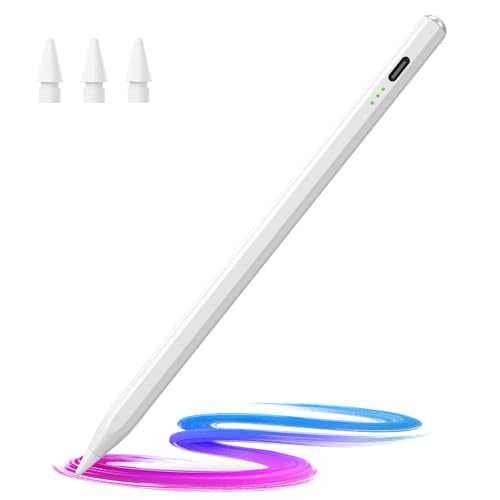
- 🖊【Wide Compatibility】: Stylus pen supports iPad 2018-2026 series:iPad 11th 11 inch 2025/10/9/8/7/6th Gen,iPad Air 11 inch (M4) 2026/13 inch (M4) 2026/7/6/5/4/3th Gen,iPad Pro 13 inch M4,iPad Pro 12.9 inch 3/4/5/6th Gen,iPad Pro 11 inch 1/2/3/4th/M4,iPad Mini 7th (A17 Pro)/6/5th Gen.NOTE: The Pencil is NOT compatible with iPad models before 2018, iPhone, Android and Microsoft devices. Please check your product model before placing an order.
- 🖊【Ultra-fast Charging/Ultra-long Battery Life】: Hastraith stylus pen for ipad uses a Type-C interface for charging and can be fully charged in just 13 minutes. It also has an ultra-long battery life of more than 10 hours of continuous use, which can meet the needs of long-term writing or drawing.
- 🖊【Tilt Sensitivity and Palm Rejection】: Hastraith ipad pen uses tilt pressure sensing technology, which can dynamically adjust the line thickness according to the different tilt angles of the pen side. The full-screen palm rejection function ensures that when using a capacitive pen, the finger or palm touching the screen will not cause accidental touches, while ensuring the smoothness and stability of writing.
- 🖊【Battery Display/No Bluetooth Required】:No need for Bluetooth connection, turn on this stylus pen by simply touching the cap button. Hastraith ipad pencil has 3 battery indicator lights: All lights on: 70%-100% power, 2 lights on: 30%-70% power, 1 light on: 5%-30% power, 1 light flashing: less than 5% power. Therefore, you can view the battery consumption progress in real time so that you can charge it before important work begins.
- 🖊【Package Included】: 1 * smart stylus, 1 * type-c charging cable, 3 * replacement nibs, 1 * dust cover, 1 * silicone protective cover, 1 * user manual. Hastraith provides you with a 12-month manufacturer's warranty, if you have any questions about our products, please contact us. Note: If it does not work after turning on, please turn off the Bluetooth of the iPad.

- 15-Minute Fast Charge for All-Day Productivity: Never worry about battery again. This ipad pencil with a quick 15-minute USB-C charge provides enough power for 10 hours of writing or drawing, perfect for back-to-back classes or long creative sessions.
- Smooth & Natural Writing Experience with Palm Rejection: Enjoy the same natural feel as pen on paper. This ipad pen with the responsive tip and advanced palm rejection technology allow you to write and draw comfortably without an awkward hand position or annoying stray marks.
- Broad Compatibility, Ready When You Are: The ipad stylus Works seamlessly with a wide range of iPad models from 2018 to 2026, including iPad 6-11, iPad Air 3-5, iPad Pro 11/12.9/13-inch, and iPad Mini 5-7. Simply turn it on and start—no Bluetooth pairing needed.
- Magnetic Design & Always Ready to Go: The built-in magnet attaches securely to the side of compatible iPads for easy storage and transport. This thoughtful design ensures your ipad stylus pen is always within reach when inspiration strikes.
- Lightweight, Portable & Ideal for Everyone: Whether you're a student taking notes, a professional marking up documents, or an artist sketching, this stylus pen for ipad is the perfect tool. It's so light and compact you'll forget you're even carrying it, making it your ideal mobile companion.

- 【PREPARE YOUR IPAD BEFORE USE】Before using our iPad pen, ensure the "Only Draw with Apple Pencil" feature is off in Settings > Apple Pencil. Disabling this option is crucial for proper stylus functionality.
- 【UNIVERSAL STYLUS】Our stylus pens for touch screens are widely compatible with all touch screens including smartphones, Android tablets, touch screen laptops/PCs. They also work with Apple iPads, iPhones, iPad Pro, iPad Mini, iPad Air, Surface, Chromebooks and other capacitive touch screen devices.
- 【2-in-1 DESIGN】The stylus pen comes with different tips on both ends. One end is the disc tip, which is more accurate and sensitive, suitable for taking notes and drawing. The other end is a durable fibre tip for browsing or scrolling web pages, effectively protecting the screen from fingerprints or smudges.
- 【HIDDEN SPARE TIP】This 3 pack of stylus pens includes 3 additional disc tips and 3 extra fibre tips. Each disc tip is placed inside the stylus body. The spare tip can be taken out by simply rotating the fibre tip end. Convenient for always having a spare pen tip ready to go.
- 【HIGH PRECISION & SENSITIVITY】The stylus pen features a flexible disc tip that fits flexibly on the screen without leaving broken lines. Additionally, the disc tip is transparent, allowing you to get a clearer view when writing or drawing.
The Best Pen for iPad in 2024: A Comprehensive Review
In 2024, the demand for the best pen for iPad has surged, with users ranging from artists to professionals relying on these tools for precision and creativity. Whether you’re taking notes, sketching, or engaging in digital art, having the right stylus can make all the difference. Below, we will explore the top 10 products available on Amazon, dissecting their features, advantages, and overall performance to help you find the best pen for your iPad needs.
Top 10 Best Pens for iPad on Amazon
1. Apple Pencil (2nd Generation)
The Apple Pencil (2nd Generation) is often regarded as the industry standard for iPad styluses. Designed specifically for iPad Pro models, it offers a seamless experience due to its low latency and precise control. The pencil supports tilt and pressure sensitivity, allowing for fine details in drawings or thick strokes depending on how hard you press. It also magnetically attaches to the iPad for easy storage and wireless charging, making it especially convenient for everyday use.
With its advanced technology and user-friendly design, the Apple Pencil stands as the best pen for iPad for many users, particularly artists and designers.
No products found.
2. Logitech Crayon Digital Pencil
The Logitech Crayon is a robust alternative to the Apple Pencil, with a child-friendly design that’s perfect for education and everyday use. It offers palm rejection technology, meaning you can comfortably rest your hand on the screen while writing or drawing without interference. The Crayon also features an adjustable tip that provides a varying line thickness, allowing for both small details and broad strokes. With a long battery life, this stylus is an excellent choice for those seeking quality at a more reasonable price.
No products found.
3. Adonit Note-M
The Adonit Note-M is a versatile stylus that combines precision with functionality. Its unique feature is a built-in mouse capability, making it an impressive tool for productivity. This stylus is compatible with various iPad models and uses Bluetooth technology to enhance its functionality. The pressure sensitivity and ergonomic design make it comfortable for extended usage, whether you’re taking notes or engaging in graphics work. Additionally, the Adonit Note-M boasts a rechargeable battery that lasts up to 20 hours, ensuring you won’t be halted mid-project.
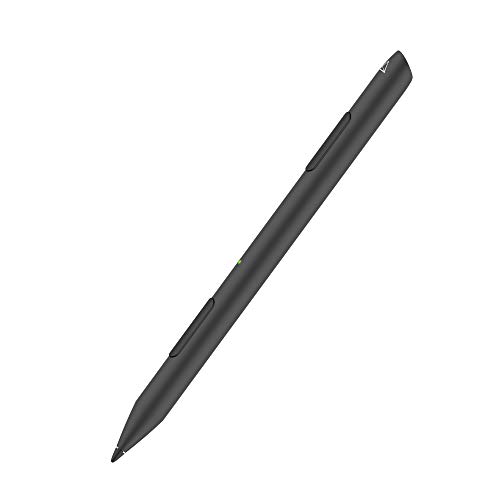
- 【Splendid Mouse Function】INK-M stylus's built-in mouse function is designed to get work done, with two shortcut buttons that act as left and right click, and a touch panel that acts as a touch-sensitive scroll wheel.【Compatible Models】Compatible with Microsoft Surface 3, Microsoft Surface PRO3, 4, 5, 6, 7, 8, X, Studio/2, Surface Laptop1, 2, 3 Go, Book
- 【Mouse Sensor】Adonit developed a unique multi-angle sensor that can instantaneously detect mouse movement within 5mm from surface, providing a seamless experience. You may rearrange the mouse for primary button, mouse scroll and mouse sensitivity in the setting. Note: rearrangeable features vary from device to device【Made in Taiwan】Our stylus made in Taiwan! so that means it definitely has quality and durability.
- 【Attaches Magnetically】The INK-M attaches magnetically to the side of your Surface device or to any magnetic surface. The 2-in-1 design is lightweight making it easy to carry the INK-M anywhere you go. The best tool for remote working or work from home.
- 【Pressure Sensitive】For a natural writing experience, vary your line thickness with subtle changes in pressure. Our advanced technology supports up to 4,096 levels of pressure sensitivity.【Palm Rejection】Rest your palm comfortably on the screen and lean in as you write or draw using this windows pencil, no need
- 【Double Shortcut Buttons】Two shortcut buttons allow quick switching between functions, you can erase and right click with ease. 【Industry Leading Warranty】When you choose Adonit, you enjoy the reassurance that comes with our stylus or parts warranty with 12-months! 【About Bluetooth Connection】For stylus, it runs without Bluetooth. For Mouse function, you need to pair INK-M to your device.
4. ZUGU Case Alpha Pencil
The ZUGU Case Alpha Pencil is designed for those who prefer a sleek and sophisticated look. This stylus delivers an impressive performance with a fine tip for maximum precision when writing or drawing. It’s compatible with a range of iPads and features an easy-access clip for portability. Battery life is commendable, boasting up to 10 hours, making it ideal for daily tasks. Furthermore, ZUGU’s commitment to style and function means you won’t sacrifice aesthetics for performance.
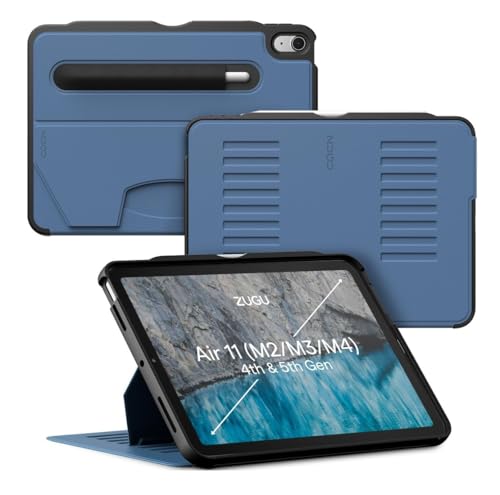
- Compatible Models - iPad Air 11-inch (M4) 2026 - Model # A3459, A3460, A3463; iPad Air 11-inch (M3) 2025 - Model # A3266, A3267, A3270; iPad Air 11-inch (M2) 2024 - Model # A2902, A2903, A2904; iPad Air 4th & 5th Gen 10.9-inch (2020 / 2022) - Model # A2588, A2589, A2591, A2316, A2324, A2325, A2072. Supports Apple Pencil Pro / Apple Pencil (2nd Gen) wireless charging (Pencil Not Included) with convenient built-in storage pocket on the back.
- Built For The Everyday - Created to take your iPad to the next level, Zugu offers a slim, yet protective case with 5 ft drop protection that supports you through daily life with its secure 8 angle magnetic stand whether you’re working, cooking, playing with the kids, or on the go. Apple Pencil We’ve got you covered.
- Satisfaction Guaranteed - We want you to love your Zugu case. That’s why we offer free 30 day returns and a 2 year warranty.
- Free iPad repairs (yes, really) - Cracked screens shouldn’t be the end. Zugu Case covers all AppleCare+ repair costs so you can stress less and stream more.
- We Build Cases For The Greater Good - We’re proud to donate 10% of all profits to charitable causes, one of which is Children International (a nonprofit that helps youth break the cycle of poverty). We’re passionate about investing in change, inspiring creativity, and building opportunity for the future because our business may be rooted in technology, but our mission is connection.
5. Woottech Stylus Pen
The Woottech Stylus Pen is an excellent budget option for those who need basic functionality. It has a durable build and offers a comfortable grip, making it easy to use for extended periods. With its universal compatibility, this stylus can work on various touchscreen devices, including iPads. While it lacks pressure sensitivity and other advanced features, it serves its purpose well for casual users looking for a simple stylus to take notes or navigate their iPads.
- 【PREPARE YOUR IPAD BEFORE USE】Before using our iPad pen, ensure the "Only Draw with Apple Pencil" feature is off in Settings > Apple Pencil. Disabling this option is crucial for proper stylus functionality.
- 【UNIVERSAL STYLUS】Our stylus pens for touch screens are widely compatible with all touch screens including smartphones, Android tablets, touch screen laptops/PCs. They also work with Apple iPads, iPhones, iPad Pro, iPad Mini, iPad Air, Surface, Chromebooks and other capacitive touch screen devices.
- 【2-in-1 DESIGN】The stylus pen comes with different tips on both ends. One end is the disc tip, which is more accurate and sensitive, suitable for taking notes and drawing. The other end is a durable fibre tip for browsing or scrolling web pages, effectively protecting the screen from fingerprints or smudges.
- 【HIDDEN SPARE TIP】This 3 pack of stylus pens includes 3 additional disc tips and 3 extra fibre tips. Each disc tip is placed inside the stylus body. The spare tip can be taken out by simply rotating the fibre tip end. Convenient for always having a spare pen tip ready to go.
- 【HIGH PRECISION & SENSITIVITY】The stylus pen features a flexible disc tip that fits flexibly on the screen without leaving broken lines. Additionally, the disc tip is transparent, allowing you to get a clearer view when writing or drawing.
6. MEKO Universal Stylus Pen
The MEKO Universal Stylus Pen provides excellent compatibility with multiple devices, including all iPad models. This stylus comes with two interchangeable tips, one for fine precision and another for broader strokes, making it adaptable to various tasks. Its stylish aluminum body makes it lightweight and easy to handle, while the impressive battery life allows for extensive use. While it doesn’t have Bluetooth connectivity or pressure sensitivity, it’s a reliable and affordable choice for the average user.
No products found.
7. Jamjake Stylus Pen
The Jamjake Stylus Pen is tailored for users who appreciate a good grip and precision. With an ergonomic design and fine point, it’s excellent for both note-taking and drawing. This stylus is highly responsive, with a delay-free experience that makes writing feel natural, much like using a traditional pen. The pen is battery-free, which means it never needs charging. While it’s a bit more focused on basic functionality, it performs exceptionally well in its category.
- 【Compatible with 2018-2026 iPad & iPad Pro】The stylus supports for iPad series 2018-2026 model: iPad Pro 13" (M4), iPad Pro 12.9"(3rd/4th/5th/6th), iPad Pro 11"(All Generations), iPad Air M4/M3/M2/5th/4th/3rd Gen, iPad 11th/10th/9th/8th/7th/6th, iPad Mini 7th/6th/5th Gen. Please confirm your devices before you place an order, another model is invalid
- 【Not compatible with models before 2018】The stylus doesn't support iPad pro 1st&2nd, iPad pro 10.5", iPad pro 9.7", iPad 1 to 5 Gen, iPad mini 1 to 4 Gen, iPad Air 1st/2nd Gen versions of iPad. Not Compatible With iPhone, Android, Microsoft devices.iPad 10gen cannt use magnetic attraction.
- 【Precise and Smooth】1.5mm pen tip can replace your finger to execute finer instructions, it easy to install and tear off the tips on your stylus pen without any tool. No lag/offset/breaking point!Compared with the ordinary stylus pen, it has higher sensitivity, more accurate signal, more comfortable hand. Not easy to break!【 Note 】The stylus pen no pressure-sensitive design.
- 【Palm Rejection Design】Stylus pen with palm rejection technology, rest your hand naturally on the screen while writing or drawing, effortless interaction with your screen, gives you more accuracy and control against the screen. We commend you to use this pen on the iPad with a glass screen protector.
- 【Touch Switch & Fast Charging】Activate this stylus pen with a simple touch of the cap button. A quick 5-20 minute charge provides 15 hours of work time. Please note: Ensure Bluetooth is enabled on your iPad for normal use, no pairing required.
8. Apple Pencil (1st Generation)
The Apple Pencil (1st Generation) is still a favorite among many iPad users, especially those with older models. It offers an amazing level of accuracy and an easy-to-use interface. Although it lacks some of the features of its successor, like wireless charging and magnetic attachment, it still performs exceptionally well for drawing, sketching, and note-taking. The Apple Pencil (1st Generation) remains a solid investment for those who own iPads compatible with this model.

- PIXEL-PERFECT PRECISION – Enjoy ultra-responsive performance with imperceptible lag, making it perfect for drawing, note-taking, sketching, or annotating documents.
- TILT & PRESSURE SENSITIVITY – Easily vary line weight, apply shading, and create natural artistic effects, just like a traditional pencil or pen.
- WIDE IPAD COMPATIBILITY – Works with iPad (6th, 7th, 8th, 9th, and 10th generation), iPad Air (3rd gen), iPad mini (5th gen), iPad Pro 12.9-inch (1st & 2nd gen), iPad Pro 10.5-inch, and iPad Pro 9.7-inch. iPad 10th generation requires the included USB-C to Apple Pencil Adapter.
- EASY PAIRING & CHARGING – Connects via Bluetooth and charges through the Lightning connector. The included USB-C adapter ensures seamless pairing and charging with newer iPads.
- TRANSFORMS YOUR IPAD – Draw, sketch, color, take notes, and annotate documents seamlessly. Enjoy imperceptible lag for a smooth, responsive experience.
9. UOGIC Stylus Pen
The UOGIC Stylus Pen boasts a rechargeable feature, yet it remains lightweight and easy to handle. With a fine tip for precision tasks and the ability to work on various touchscreen devices, this stylus caters well to multiple users looking for a multi-functional tool. It supports simple gestures, enhancing user productivity while offering a straightforward design that’s pleasant to use. The UOGIC pen is an excellent mid-range choice for users who don’t want to compromise on performance.
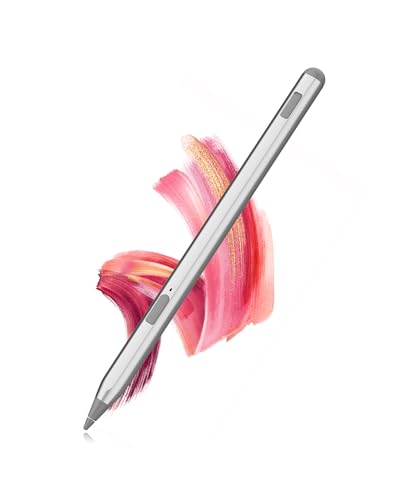
- No Pairing Required & Smart Standby 一 Charge the USI 2.0 for 10 minutes before use, and it will wake up automatically when picked up, no Bluetooth or app needed. With Uogic’s USB-C fast charging, just 1 hour of charge gives you 110 hours of use.
- The LED light logic is as follows: the red light blinks when charging or at low battery, the green light stays on when fully charged, and the green light illuminates for 3 seconds then turns off when powering on via the pen button.
- Auto Sleep Function 一 The stylus will enter sleep mode after 5 minutes of inactivity and can be woken up by pressing any button. If it remains inactive for 45 minutes, it will enter shutdown mode, and the power button must be pressed to restart it.
- Durable Cone-Shaped Tip & Comfortable Grip 一 The USI 2.0 features a cone-shaped tip for durability and strong signal transmission, with easy replacement if needed. Its rounded body offers a comfortable, fatigue-free grip, ideal for note-taking or sketching.
- 4096 Levels of Pressure Sensitivity 一 With 4096 levels of pressure sensitivity, the Uogic USI 2.0 offers precise control and responsiveness, perfect for sketching, note-taking, and detailed artwork.
10. XPPen Deco Mini7W
The XPPen Deco Mini7W is an excellent choice for digital artists looking for a budget-friendly graphics tablet experience. While technically a tablet rather than a stylus, its compatibility with iPads means it can serve as an effective drawing tool. This stylus is pressure-sensitive and provides a more tactile experience for drawing, making it suitable for detailed artwork. With extensive compatibility and a comfortable design, the Deco Mini7W provides an attractive option for visual creators.
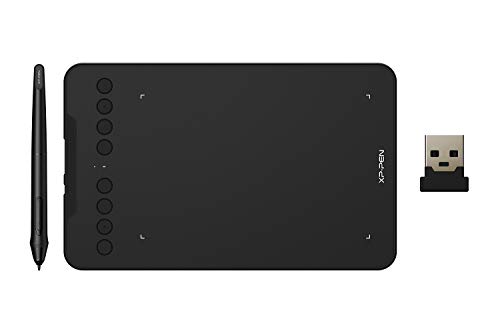
- Wired and Wireless Connection: Our wireless technology allow the XPPen wireless drawing tablet to connect your PC or laptop by simply plugging the included USB dongle into your computer, the 2.4 GHz wireless technology allows you to create with both speed and freedom
- Battery-Free Pen: The stylus pen in our product is battery-free and offers 8192 levels of pressure sensitivity. It also has tilt-response capabilities and provides smooth tracking without delays, ensuring uninterrupted work for increased efficiency
- 8 Customized Press Keys: The Deco mini7W Wireless Graphics Drawing Tablet features 8 customizable press keys, making it user-friendly and enabling a seamless creative process. Personalize these shortcut keys to enhance your workflow and tailor the experience to your preferences
- Easy Connection: The Deco mini7W supports a USB-C to USB-C connection (with the included adapter), allowing you to connect the tablet to various computing devices depending on your own need
- Wide Compatibility: XPPen Deco mini7W Wireless Graphics Drawing Tablet is compatible with Windows 7 and above, Mac OS X 10.10 (and higher), Android 6.0 (and higher)and mobile phones, Chrome OS 88.0.4324.109 or above
Buying Guide: Choosing the Best Pen for Your iPad
When looking for the best pen for iPad, it’s essential to consider several factors to ensure that the stylus meets your needs. Here’s a comprehensive guide to help you make an informed decision:
1. Compatibility
Before purchasing a stylus, check its compatibility with your specific iPad model. Certain styluses, like the Apple Pencil (2nd Generation), are exclusive to newer iPad Pro models. Others, like the Logitech Crayon, are compatible with a broader range of devices.
2. Functionality
Consider what you plan to use the stylus for. Digital artists may prefer pens with pressure sensitivity, tilt recognition, and low latency. In contrast, casual users may only require basic touch functionality for note-taking and scrolling.
3. Battery Life and Charging
Battery life is critical, especially for users who require extended usage. Some styluses come with rechargeable batteries, while others might not need charging at all. Make sure the stylus you choose meets your needs in this department.
4. Design and Comfort
The ergonomic design plays a significant role in comfort during use. A stylus that feels good in your hand allows for longer usage periods without fatigue. Heavier and thicker designs may provide a better grip for some users, while others may prefer lightweight options.
5. Price
Stylus prices can range from budget-friendly to premium. Determine your budget and try to find the best pen for iPad that maximizes your features relative to your spending limit. While investing in a high-quality stylus may yield better results, several affordable options perform admirably.
6. Reviews and Recommendations
Finally, always check for user reviews and product ratings on Amazon or other platforms. Real-world experiences can provide insights into a stylus’ longevity, precision, and performance that product descriptions may not cover.
Choosing the best pen for your iPad involves careful consideration of compatibility, functionality, design, battery life, price, and user reviews. By evaluating these factors, you can find the ideal stylus to enhance your productivity and artistic endeavors in 2024.
- 【Compatible with 2018-2026 iPad & iPad Pro】The stylus supports for iPad series 2018-2026 model: iPad Pro 13" (M4), iPad Pro 12.9"(3rd/4th/5th/6th), iPad Pro 11"(All Generations), iPad Air M4/M3/M2/5th/4th/3rd Gen, iPad 11th/10th/9th/8th/7th/6th, iPad Mini 7th/6th/5th Gen. Please confirm your devices before you place an order, another model is invalid
- 【Not compatible with models before 2018】The stylus doesn't support iPad pro 1st&2nd, iPad pro 10.5", iPad pro 9.7", iPad 1 to 5 Gen, iPad mini 1 to 4 Gen, iPad Air 1st/2nd Gen versions of iPad. Not Compatible With iPhone, Android, Microsoft devices.iPad 10gen cannt use magnetic attraction.
- 【Precise and Smooth】1.5mm pen tip can replace your finger to execute finer instructions, it easy to install and tear off the tips on your stylus pen without any tool. No lag/offset/breaking point!Compared with the ordinary stylus pen, it has higher sensitivity, more accurate signal, more comfortable hand. Not easy to break!【 Note 】The stylus pen no pressure-sensitive design.
- 【Palm Rejection Design】Stylus pen with palm rejection technology, rest your hand naturally on the screen while writing or drawing, effortless interaction with your screen, gives you more accuracy and control against the screen. We commend you to use this pen on the iPad with a glass screen protector.
- 【Touch Switch & Fast Charging】Activate this stylus pen with a simple touch of the cap button. A quick 5-20 minute charge provides 15 hours of work time. Please note: Ensure Bluetooth is enabled on your iPad for normal use, no pairing required.
- 【0.1 mm Pixel Precise Without Delay】: The upgraded smart chip delivers pixel-level accuracy of 0.1 mm with high responsiveness, no breakpoints, and no delays. You can enjoy writing small words and drawing fine lines with ease, just like using a real pencil! NOTE: The iPad stylus does not support pressure sensitivity
- 【2X Faster Charge】: Metapen Pencil A8 fully charges in just 30 minutes via USB-C and lasts up to 10 hours. 1-min charge = 50-min use; 4 min fast charge = 2 hour use. The LED indicator displays different colors based on battery level, reminding you to recharge in time. It automatically shuts down after 5 minutes of inactivity for better energy efficiency. Note: A8 does not support magnetic charging or wireless charging via iPad.
- 【More Durable Tips】: Made of high-quality polymer, the Metapen's tips pass a 20 km durability test—2X more durable than original iPencil tips(NOTE:The package comes with two nibs, one already installed and one as a spare). Their internal structure remains intact even after 3,000 impacts. Each Metapen A8 pen comes with two extra replaceable tips , saving costs for frequent users
- 【Metal Barrel & Palm Rejection】: Metapen A8 Aluminum Metal Barrel iPad stylus pen supports Palm Rejection, so no need for a glove, with metal barrel, this stylus pen can provide you with a better writing experience. You can rest your palm or fingers on the screen during sketching, drawing, or writing. All-metal aluminum barrel: 4x harder, 10x more wear-resistant than plastic.Metal weight, metal strength. Not plastic. 200 MPa flexural strength, survives 1.2m drops 50+ times. A stronger and more durable iPad A16 penicl for Child/Kids than plastic iPad pencil.
- 【Quick Connect and Double Magnets】: No need to connect via Bluetooth or apps. Simply double-tap the invisible touch switch on the rounded end of A8 to power ON/OFF. With two built-in magnets, the Metapen iPad Pen securely attaches to your iPad anytime, no more rolling away or getting lost. (NOTE: Wireless Charging is NOT Supported. NO magnetic attachment for iPad Air 3rd/M2/M3 Gen, iPad 6th/7th/8th/9th/10th/11th Gen, iPad mini 5th/7th, iPad Pro M4)
- WHY APPLE PENCIL - With pixel-perfect precision, tilt sensitivity, and low latency, Apple Pencil (USB-C) makes note-taking, signing documents, and drawing easy at an affordable price. It pairs and charges via USB-C and can magnetically attach to your iPad.
- COMPATIBILITY - Apple Pencil (USB-C) works with iPad Pro 13-inch (M4 and M5); iPad Pro 12.9-inch (3rd, 4th, 5th, and 6th generation); iPad Pro 11-inch (M4 and M5); iPad Pro 11-inch (1st, 2nd, 3rd, and 4th generation); iPad Air 13-inch (M2, M3, M4); iPad Air 11-inch (M2 and M3); iPad Air (4th and 5th generation); iPad (A16), iPad mini (A17 Pro), iPad mini (6th generation); and iPad (10th generation).
- EASY AND NATURAL - Write, sketch, and draw with pixel-perfect precision. Apple Pencil (USB-C) does it all with low latency and tilt sensitivity. Apple Pencil pairs and charges via USB-C and features a flat edge that attaches magnetically.
- TRANSFORMS IPAD INTO A CANVAS - Draw, sketch, color, take notes, and mark up documents. Use built-in apps like Notes and Freeform, or choose from over a million more apps available on the App Store. And for pros, use Apple Pencil hover on iPad Pro and iPad Air to preview your mark before you make it.
- WHAT'S IN THE BOX - Apple Pencil (USB-C)
- [How to Use]- Long press the control button 3S to turn ON/OFF the pen, when the light is flashing, the pen is discoverable via Bluetooth, when connected, you can display the power of the pen on your iPad and use the shortcut function. If the pen doesn't work after turning on, please follow the steps to disconnect the Bluetooth connection between your iPad and Apple Pencil: Settings > Bluetooth > Apple Pencil > tap "i" > Forget this device
- [Importand *Compatible Models*]- This pen are compatible with all iPad released in 2018 or later. The compatible Models are: iPad A16 11th/10th/9th/8th/7th/6th Gen, iPad mini A17 Pro, iPad Mini 7th/6th/5th Gen, iPad Air 13-inch (M4/M3/M2), iPad Air 11-inch (M4/M3/M2), iPad Air 7th/6th/5th/4th/3rd Gen, iPad Pro 13-inch (M5/M4), iPad Pro 11-inch (M5/M4), iPad Pro 12.9"(3rd, 4th, 5th, 6th Gen), iPad Pro 11"(All Generations) ***Please confirm your iPad's model before placing order***
- [Tilt Sensitivity & Pixel Precision]- Equipped with the replaceable original Apple Pencil tip (include 3 extra tips), our device offers pixel-perfect precision and industry-leading low latency. With tilt sensitivity, it enables effortless drawing, sketching, coloring, note-taking, and PDF markup, providing a natural and seamless experience, just like using a real pencil. ***Note: The pen has NO pressure sensitivity
- [USB-C Fast Charging]- This iPad pencil charges fully within 30 minutes, charges to 80% within 15 minutes, and allows up to 10 hours of continuous use. It auto shuts down after 5 minutes of inactivity to save power
- [One-Click To Revoke]- Support Bluetooth connection to display battery percentage in the status bar, one-click to undo the previous action (long press 3s to turn On/Off) Note: You can also use the pencil directly without a Bluetooth connection. However, without a Bluetooth connection, you will not have access to the shortcut functions
- Compatibility: The stylus pencil only works with iPads from 2018 onwards, including iPad Air 11 inch (2026-2024, M4/M3/M2), iPad Air 13 inch (2026-2024, M4/M3/M2), iPad Pro 11 inch (2025-2024, M5/M4), iPad Pro 13 inch (2025-2024, M5/M4), iPad A16/11th (2025), iPad 10th Gen (2022), iPad Pro 11 inch (2022-2018), iPad Pro 12.9 inch (2022-2018), iPad Air 5th/4th/3rd, iPad Mini A17 Pro/7th/6th/5th, and iPad 9th/8th/7th/6th. Please verify your model in [Settings > General > About] before purchasing.
- Tilt Sensitivity: The iPad Stylus features tilt sensitivity, allowing you to create varying line thicknesses and shadows by adjusting the angle of your pencil for apple ipad 10th generation.
- Palm Rejection: You can comfortably rest your hand on the screen without gloves while using the stylus pen for ipad.
- Magnetic Adsorption: The iPad pencil 10th generation magnetically attaches to iPads released from 2018~2026 just like 2nd generation for Apple Pencil. Note: Does not support magnetic charging.
- Type-C Fast Charging: Fully charges the ipad pencil in just 15 minutes for up to 9 hours of use. Note: Sleeps after 5 minutes of inactivity to save power.
- 🖊【Wide Compatibility】: Stylus pen supports iPad 2018-2026 series:iPad 11th 11 inch 2025/10/9/8/7/6th Gen,iPad Air 11 inch (M4) 2026/13 inch (M4) 2026/7/6/5/4/3th Gen,iPad Pro 13 inch M4,iPad Pro 12.9 inch 3/4/5/6th Gen,iPad Pro 11 inch 1/2/3/4th/M4,iPad Mini 7th (A17 Pro)/6/5th Gen.NOTE: The Pencil is NOT compatible with iPad models before 2018, iPhone, Android and Microsoft devices. Please check your product model before placing an order.
- 🖊【Ultra-fast Charging/Ultra-long Battery Life】: Hastraith stylus pen for ipad uses a Type-C interface for charging and can be fully charged in just 13 minutes. It also has an ultra-long battery life of more than 10 hours of continuous use, which can meet the needs of long-term writing or drawing.
- 🖊【Tilt Sensitivity and Palm Rejection】: Hastraith ipad pen uses tilt pressure sensing technology, which can dynamically adjust the line thickness according to the different tilt angles of the pen side. The full-screen palm rejection function ensures that when using a capacitive pen, the finger or palm touching the screen will not cause accidental touches, while ensuring the smoothness and stability of writing.
- 🖊【Battery Display/No Bluetooth Required】:No need for Bluetooth connection, turn on this stylus pen by simply touching the cap button. Hastraith ipad pencil has 3 battery indicator lights: All lights on: 70%-100% power, 2 lights on: 30%-70% power, 1 light on: 5%-30% power, 1 light flashing: less than 5% power. Therefore, you can view the battery consumption progress in real time so that you can charge it before important work begins.
- 🖊【Package Included】: 1 * smart stylus, 1 * type-c charging cable, 3 * replacement nibs, 1 * dust cover, 1 * silicone protective cover, 1 * user manual. Hastraith provides you with a 12-month manufacturer's warranty, if you have any questions about our products, please contact us. Note: If it does not work after turning on, please turn off the Bluetooth of the iPad.
- 15-Minute Fast Charge for All-Day Productivity: Never worry about battery again. This ipad pencil with a quick 15-minute USB-C charge provides enough power for 10 hours of writing or drawing, perfect for back-to-back classes or long creative sessions.
- Smooth & Natural Writing Experience with Palm Rejection: Enjoy the same natural feel as pen on paper. This ipad pen with the responsive tip and advanced palm rejection technology allow you to write and draw comfortably without an awkward hand position or annoying stray marks.
- Broad Compatibility, Ready When You Are: The ipad stylus Works seamlessly with a wide range of iPad models from 2018 to 2026, including iPad 6-11, iPad Air 3-5, iPad Pro 11/12.9/13-inch, and iPad Mini 5-7. Simply turn it on and start—no Bluetooth pairing needed.
- Magnetic Design & Always Ready to Go: The built-in magnet attaches securely to the side of compatible iPads for easy storage and transport. This thoughtful design ensures your ipad stylus pen is always within reach when inspiration strikes.
- Lightweight, Portable & Ideal for Everyone: Whether you're a student taking notes, a professional marking up documents, or an artist sketching, this stylus pen for ipad is the perfect tool. It's so light and compact you'll forget you're even carrying it, making it your ideal mobile companion.
- 【PREPARE YOUR IPAD BEFORE USE】Before using our iPad pen, ensure the "Only Draw with Apple Pencil" feature is off in Settings > Apple Pencil. Disabling this option is crucial for proper stylus functionality.
- 【UNIVERSAL STYLUS】Our stylus pens for touch screens are widely compatible with all touch screens including smartphones, Android tablets, touch screen laptops/PCs. They also work with Apple iPads, iPhones, iPad Pro, iPad Mini, iPad Air, Surface, Chromebooks and other capacitive touch screen devices.
- 【2-in-1 DESIGN】The stylus pen comes with different tips on both ends. One end is the disc tip, which is more accurate and sensitive, suitable for taking notes and drawing. The other end is a durable fibre tip for browsing or scrolling web pages, effectively protecting the screen from fingerprints or smudges.
- 【HIDDEN SPARE TIP】This 3 pack of stylus pens includes 3 additional disc tips and 3 extra fibre tips. Each disc tip is placed inside the stylus body. The spare tip can be taken out by simply rotating the fibre tip end. Convenient for always having a spare pen tip ready to go.
- 【HIGH PRECISION & SENSITIVITY】The stylus pen features a flexible disc tip that fits flexibly on the screen without leaving broken lines. Additionally, the disc tip is transparent, allowing you to get a clearer view when writing or drawing.
Last update on 2026-08-14 / Affiliate links / Images from Amazon Product Advertising API | hishecozy.com is a participant in the Amazon Associate program and will earn from qualifying purchases.
