
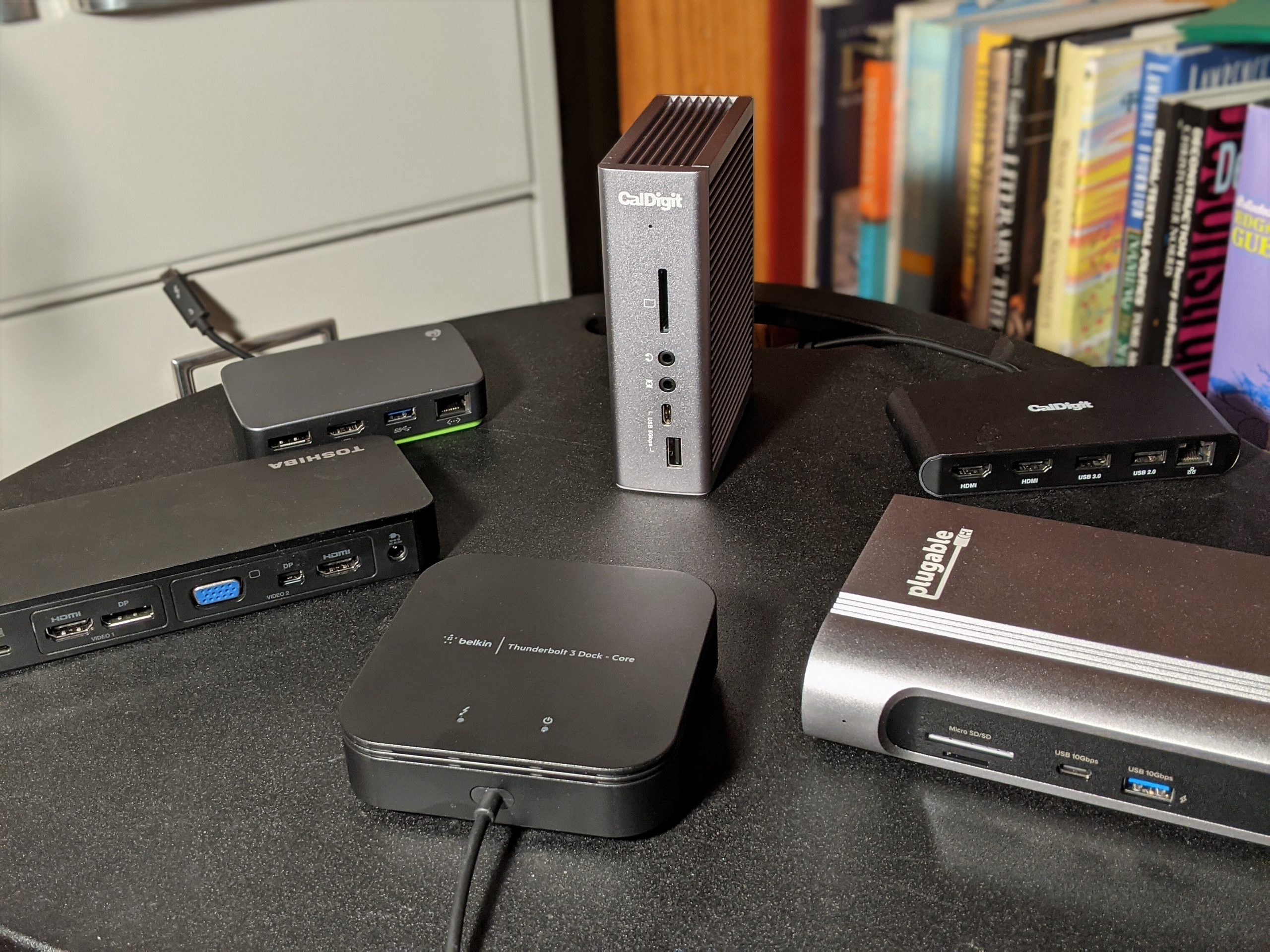

- Thunderbolt Certified & Award-Winning Performance: Officially recognized as the Best Thunderbolt Dock 2025 by Wirecutter, this Thunderbolt docking station is Intel Evo certified. With 13 high-performance ports, dual 4K 60Hz HDMI, 100W Power Delivery (96W Certified), and 40Gbps Thunderbolt 4 speed.
- Dual 4K or Single 8K Display Support: This Thunderbolt 4 laptop docking station connects two 4K 60 Hz HDMI displays or one 8K monitor when used with Thunderbolt 4, Thunderbolt 5, or USB4 laptops. Thunderbolt 3 and non-Thunderbolt USB-C ports can only output a single external display. On macOS, base M1 and M2 systems support a single external display. Base M3 supports dual display in clamshell mode.
- Thunderbolt 4 Performance: This premium Thunderbolt dock delivers ultra-fast 40Gbps speeds, 15W charging via the downstream Thunderbolt 4 port, and robust performance for USB-C peripherals, high-speed storage, and dual displays.
- Compatibility: This USB C dock works seamlessly with Thunderbolt 4, Thunderbolt 5, or USB4 systems running Windows 10+. On macOS, dual display is only supported on M4, M5 M3 Pro/Max, M2 Pro/Max and M1 Pro/Max models, as well as base M3 models in clamshell mode. Single display is supported on Windows Thunderbolt 3 and non-Thunderbolt USB-C ports, as well as base M1 and M2 MacBooks
- Comprehensive 13-Port Design: 2× HDMI, 1× Thunderbolt 4 downstream (40Gbps, 15W charging, 8K), 4× USB (10Gbps and 5Gbps), 1× USB-C (10Gbps), SD/microSD, audio combo jack, Gigabit Ethernet, and K-lock slot. Plugable quality testing ensures long-term reliability.
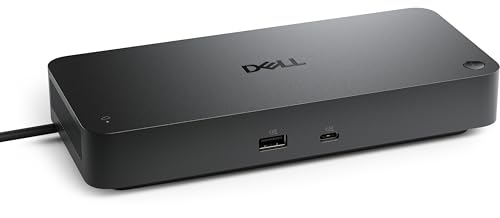
- POWERFUL MULTIDISPLAY SUPPORT: Up to 4 4K monitors per HDMI 2.1, DP 1.4, USB-C and Thunderbolt 4 — ideal for creative, data, or AI work.
- 130W USB-C CHARGING PERFORMANCE: Up to 130W for Dell and 96W for others — fast, efficient, no cable mess.
- THUNDERBOLT 4 SPEED AND CONNECTIVITY: Dual data port, dual 4K video and chain up to 6 devices.
- REMOTE WI-FI MANAGEMENT: Manage docks without PC with Dell Console and Intel AMT, via Wi-Fi.
- BUSINESS LEVEL SECURITY: WPA3 encryption, PXE boot, MAC filtering, DMA protection, and secure enclosure.
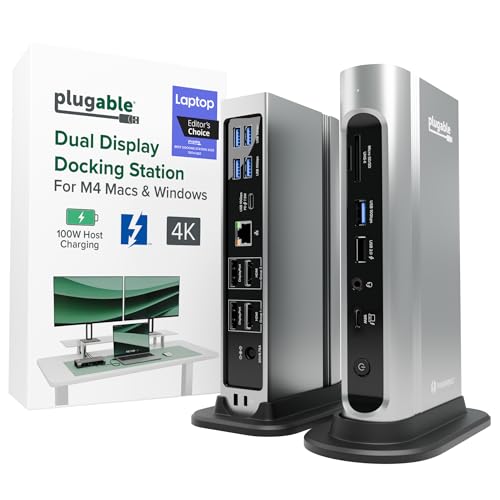
- Award Winning Plugable Thunderbolt 4 Dock: Premium 16-in-1 design enables dual 4K 60Hz screens on M4,M5 Macs, Windows and USB4. Laptop Mag 2025 Dock of the Year with 7 USB ports, 2.5Gbps Ethernet, SD/microSD slots, audio, and 100W charging.
- Seamless Dual Monitor Setup for M4/M5 Macs: This dual monitor for laptop docking station enables two 4K 60Hz displays via HDMI or DisplayPort—no drivers needed. Just plug and play. Also supports Windows Thunderbolt 4/USB4 laptops.
- 100W Power Delivery: Ensure all-day laptop charging with 100W Power Delivery. Third party lab tested to UL standards for safe, worry-free charging. Automatically adjusts for lower power systems and provides USB-C and USB ports for peripheral charging.
- Universal Compatibility: Works with Thunderbolt 5, Thunderbolt 4, USB4, and USB-C laptops. Compatible with macOS 11+ and Windows 10 or later. This dual monitor docking station connects effortlessly with the included Thunderbolt 4 cable (40Gbps, 3.3ft/1m).
- Boost Productivity: Turn your laptop into a powerful dual monitor workstation with this dual monitor thunderbolt dock. Perfect for multitasking, content creation, and professional workflows - perfect for Mac users needing a clean, simple dual-monitor solution.

- 13-in-1 Thunderbolt Performance: Need a high-performance Mac docking station? The Plugable TBT-UDM laptop docking station is a space gray aluminum-clad Thunderbolt 4 dock designed for your Mac. It packs 13 ports, dual 4K HDMI, 100W charging, and driverless compatibility into one plug-and-play powerhouse
- Dual 4K Display: Want dual monitors without driver downloads or a dongle mess? This docking station for laptop supports up to two 4K 60Hz HDMI displays on all M4/M5 systems, Pro/Max M-series Macs, and M3 Macs in clamshell mode. No drivers required. The preferred docking station dual monitor combo for video editors, designers, and multitaskers
- Make a Connection: Tired of slow docks and cable chaos? Get 13 streamlined ports, including 1x downstream Thunderbolt 4 (40Gbps), 1x USB-C, 4x USB-A, SD/microSD UHS-II, Ethernet, 3.5mm audio, and 100W host charging to keep your MacBook powered all day. Perfect for hot-desks, home setups, or dev studios
- Works With: Full compatibility with all M4/M5 MacBooks and M1/M2/M3 MacBooks with Pro or Max CPU. Base M1 and M2 MacBooks support only a single external display; base M3 Macs support dual displays in clamshell mode only. Also supports Windows systems with Thunderbolt 4 or USB4. Fully plug-and-play over Thunderbolt or USB4 connections.
- Lifetime Support: This Windows and MacBook docking station has been designed with reliability at its core and was built to meet the deployment demands of IT departments and the ease of use necessary for home offices. Includes lifetime support from our North American team of connectivity experts
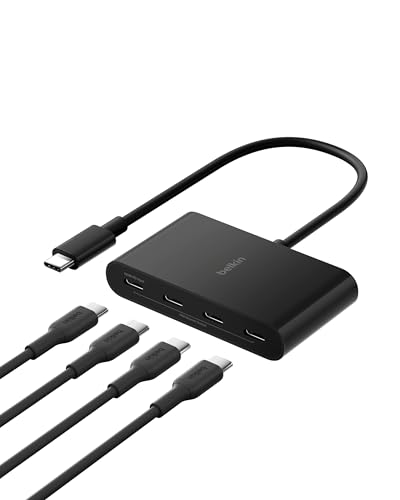
- 4-IN-1 USBC HUB: Connect multiple peripherals including camera/webcam, video capture cards, and more; Our 4-port Type C USB hub for laptop boasts 4 USB-C 3.2 Gen 2 ports for lightning-fast data transfer and upload speeds
- ULTRA HIGH-SPEED DATA TRANSFER: Each port of this USBC hub for laptop delivers up to 10G transfer speed, making it ideal for streaming, gaming, creating, and working at a fast, reliable speed
- UNIVERSAL COMPATIBILITY: This MacBook USB C hub supports MacBook, iPad, PC and more with backwards compatibility. Fast Role Swap (FSR) prevents data loss and interruption when adding or removing a USB power source
- SUPPORTS AUDIO: Connect your USB C computer accessories hub to headphones, speakers, or any audio interface; This slim and portable USB port hub also features pass-through charging, with up to 100W power to your devices while the hub charges as well
- BELKIN: We build hub USB C products that empower people to get more life each day; Problem-solving design and an obsession with details are at the core of what we do, with a dedication to innovative engineering, performance, and reliability

- 8-in-1 Massive Expansion: The 8-in-1 Thunderbolt 4 Dock is equipped with 3x Thunderbolt 4(40Gbps, 15W), 3x USB A 3.2(10Gbps), a gigabit ethernet, and a 140W DC power ports, which can meet all your high-performance expansion needs
- Powerful Thunderbolt 4: With one upstream and three downstream Thunderbolt 4 ports, you can transfer data at speeds up to 40Gbps and display in resolutions up to 8K. Experience high-performance work like never before
- Dual 4K@60Hz or Single 8K Display: The Thunderbolt 4 Docking Station can extend up to two 4K@60Hz displays or a single 8K@30Hz display for Windows laptops, two 4K@60Hz displays or a single 4K@60Hz display for Macbook with Pro/Max version M-Chips & Intel chips. Please note: For MacBooks with basic M-Chips, the docking station can extend to one 4K@60Hz display. Greatly improve your work efficiency and display experience
- 85W High-speed Charging: With the included 140W GaN charger, this Thunderbolt 4 Hub can charge your laptop up to 85W while working. No need to connect another charger. (The dock must be connected to the charger to work
- Widely Compatible: The Thunderbolt 4 Hub is compatible with most Thunderbolt 4, Thunderbolt 3, USB4, or USB-C computers or tablets, including Macbooks(macOS 11.4 & above), Windows laptops(Windows 10 & above), mac mini, or other tablets with USB-C ports. Note: Full-featured USB-C laptops/tablets only support a single display. Not compatible with Mac mini 2018(intel)
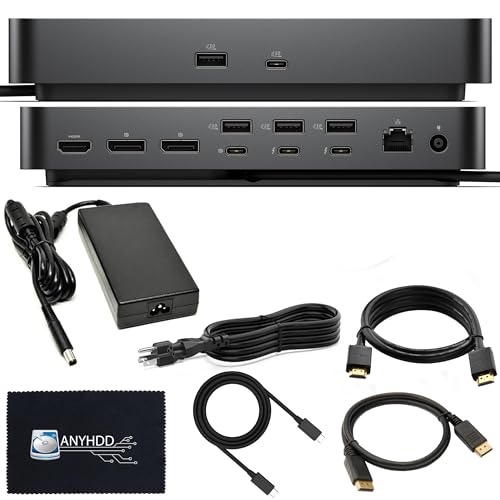
- Modular Dell Dock Design - Upgrade Your dell docking station effortlessly with dell thunderbolt dock SD25TB4 swappable module capability for easy upgrades and SuperBoost technologies for fast charging and Data Transfer at an incredible 40 GB/s, maximizing peripheral performance.
- Multiply Productivity - Simplify your workspace with dell thunderbolt docking station 4K displays and Thunderbolt peripherals to your system with a single cable for ultimate productivity.
- [Ports] - 2 x Thunderbolt-4 ports / 1 x USB-C 3.2 Gen 2 / 1 x USB-A 3.2 Gen 1 with PowerShare / 2 x DisplayPort 1.4 / 1 x HDMI 2.0 / 1 x USB-C Multifunction DisplayPort / 2 x USB-A 3.2 Gen 1 / 1 x Gigabit Ethernet RJ45 Port
- [Power Supply & OS Compatibility] - 180W Power adapter / 120/230 V AC (50/60 Hz) / For macOS, Windows 10, Windows 11, Ubuntu OS

- Lightning-Fast Connectivity: Enjoy the speed and convenience of Thunderbolt 4 ports that let you transfer data, stream media, and charge your devices in a flash.
- Versatile Compatibility: With (3) USB-C and (3) USB-A ports, a 3.5mm audio jack, 2.5G Ethernet, and a security lock slot, this docking station offers a range of connectivity options for all your peripherals.
- Quick Charge Capability: Power up your laptop in just 2.5 hours with the Thunderbolt dock's rapid charging technology, so you can stay productive for longer periods without interruption.
- Multi-Monitor Support: Connect up to two 4K monitors and enjoy stunning visuals and crystal-clear display quality that will elevate your work and entertainment experience.
- Easy Port Identification: Thanks to raised tactile indicators on each port, you'll never have to fumble around trying to find the right connection again.

- Comprehensive 13-Port Expansion: Equipped with 2 Thunderbolt 4 ports (40Gbps, 15W), 1 DisplayPort 1.4, 1x 2.5Gb Ethernet, SD/TF 4.0 card readers, 1 USB-C 3.2 (10Gbps, 20W), 2 USB-A 3.2 (10Gbps), 2 USB-A 3.0, 3.5mm audio, and 180W DC power—delivering unmatched versatility for your workstation
- Ultra-Fast Thunderbolt 4 Speeds: Transfer data at 40Gbps, connect multiple devices, and drive high-resolution displays with support for dual 4K@60Hz or a single 8K@30Hz (Windows). Mac users (M1/M2/M3 Pro/Max/Intel) can run dual 4K@60Hz, while base M1/M2/M3 models support single 4K@60Hz. (Requires Thunderbolt 4/3 or USB4 port with DP 1.4 support)
- Flexible Multi-Display Options: Boost productivity with dual 4K@60Hz monitors (Windows & select Macs) or a crisp 8K@30Hz single display (Windows). Ideal for creative professionals, gamers, and multitaskers
- 90W High-Speed Laptop Charging: Includes a 180W GaN power adapter to deliver up to 90W charging to your laptop while docked—eliminating the need for a separate charger. (Dock must be connected to power to function.)Please note: The base must be connected to the charger to function
- Broad Device Compatibility: Works seamlessly with Thunderbolt 4/3, USB4, and USB-C laptops and tablets, including MacBooks (macOS 11.4+), Windows PCs (Windows 10+). Full-function USB-C laptops and tablets only support single display; not compatible with Intel Mac mini 2018

- Power Delivery: Thunderbolt 4 host port provides up to 96W of power to the host computer; Thunderbolt 4 device ports (for external drives and other devices) provide 15W of power; USB port provides up to 1.5A of power for bus-powered drives and device charging. **Power delivery may not fully support high-demand or under heavy load or when multiple peripherals are connected simultaneously
- Dual Display Support: Up to one 8K display @ 60Hz, two 4K displays @ 60Hz, one 4K display @ 120Hz, one 4K display @ 60Hz, or two 5K displays @ 60Hz; Display Support by Port: Thunderbolt 4: Up to 8K @ 60Hz or 4K @ 120Hz via a native Thunderbolt 4 display or other display that supports USB-C connections and DisplayPort 1.4; NOTE : Actual display support varies by computer specifications; Supported Intel-based Apple Mac models and Thunderbolt 4 PCs support two displays
- Device Ports: (1) Host Port - Thunderbolt 4 up to 40 Gb/s (5000 MB/s); (3) Thunderbolt 4 Ports;(3) USB 3.2 Gen 2 Type-A Ports up to 10Gb/s (1250MB/s) - USB 2.0/3.0 backwards compatible; (1) USB 2.0 Port; (1) Gigabit Ethernet (GbE) RJ-45 Port; (1) 3.5mm Stereo Audio Input/Output Combo Port; (1) Secure Digital (SD) SD 4.0 UHS-II
- Host Port Support: Thunderbolt or USB (USB-C or USB-A) port; Works with Thunderbolt 4, Thunderbolt 3, USB4, and USB host computers and mobile devices; Thunderbolt/Thunderbolt 2 Mac models are supported via USB-A host connection; Thunderbolt/Thunderbolt 2 host connection is not supported; For best results, use the included certified Thunderbolt 4 cable and connect to a Thunderbolt 3 or 4 host
- Compatible with: Mac's with an available Thunderbolt 3 or later port running macOS 11.1 Big Sur or later, Windows PC with an available Thunderbolt 4 port and non-Thunderbolt USB-C machines like Chromebooks and iPads, USB-C equipped MacBook, iPad, Chromebook, Android device; 2 Year OWC Limited Warranty
If you’re on the hunt for the best Thunderbolt 4 dock in 2024, you’re likely looking for something that offers versatility, high-speed connectivity, and adequate power delivery for your devices. Thunderbolt 4 is the latest evolution in connectivity technology, ensuring that users benefit from faster data transfer speeds, enhanced docking capabilities, and a more unified setup, especially for those using multi-display setups. This article reviews the top 10 Thunderbolt 4 docks available on Amazon, helping you to make an informed decision.
Top 10 Thunderbolt 4 Docks on Amazon
1. CalDigit Thunderbolt 4 Element Hub
CalDigit’s Thunderbolt 4 Element Hub stands out due to its excellent design and high functionality. This dock comes with four Thunderbolt 4 ports, enabling you to connect multiple devices simultaneously while also charging your laptop with a power delivery of up to 60W. It also includes four USB-A ports, providing backward compatibility for your older devices. The compact size makes it ideal for both home and office setups.
The build quality is substantial, and CalDigit has a solid reputation for customer service. Whether you are a creative professional needing to connect high-resolution displays or someone who requires basic connectivity, this dock caters to a wide array of users.
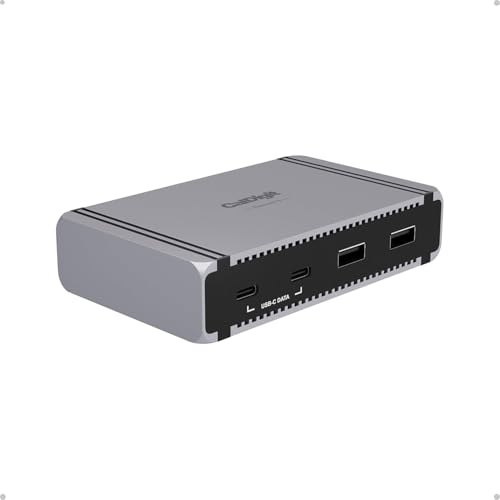
- Works with Thunderbolt 5, USB4 v2, Thunderbolt 4, USB4, Mac Thunderbolt 3, and some USB-C computers, including Apple M1-M5 (Max, Pro & Ultra), Windows laptops, and Chrome OS devices. It is also compatible with USB-C iPhones and tablets, including iPads and Windows tablets that feature Thunderbolt or USB-C. *Thunderbolt 5 or USB4 v2 is required for unrestricted functionality of the Element 5 Hub. Please visit our website for more details.
- 80Gb/s Performance & 120Gb/s Bandwidth Boost - The Element 5 offers unparalleled 80Gb/s performance when transmitting and receiving files. This makes it ideal for the unmatched 20 ports of connectivity this dock delivers. When users connect ultra high-refresh rate displays to the Element 5, this device will shift its allocation and provide up to 120Gb/s to the displays without the user ever thinking about it.
- 90W Power Delivery - Charge your laptop, tablet, or phone with up to 90W sustained power delivery. The Element 5 Hub’s compact and powerful 180W power supply allows the device to provide sustained power delivery at all times regardless of how many devices are connected to the hub. In total, you can connect 9 devices, all of which will be provided with full power. No slow drain, loss of charge, or incompatibility. In fact, the hub also features Offline Charging which allows you to charge devices even when the Element 5 Hub is not connected to a host computer.
- Windows: Connect up to THREE 4K@144Hz displays on compatible Windows Thunderbolt 5 host computers.* macOS: connect up to TWO 6K@60Hz or 8K@60Hz displays, or dual 4K@240Hz displays on Macs that support these resolutions. NOTE: Base M1-M3 Macs do not support dual displays. *Triple displays are not supported on macOS, Thunderbolt 4/3, or USB-C PCs. High-refresh rates require a host Mac or PC that supports high-refresh rates.
- All FOUR Thunderbolt 5 (80Gb/s) ports support 64Gb/s PCIe technology which means that these ports provide up to 6,200MB/s performance for use with ultra-fast Thunderbolt SSDs. The rest of USB-A and USB-C ports are all 10Gb/s, and are ideal for connecting various USB accessories to the Element 5 Hub.
2. OWC Thunderbolt Hub
OWC’s Thunderbolt Hub is a fantastic choice for those looking for versatility. It features a total of 11 ports, including USB-A, USB-C, and Thunderbolt connectors, allowing you to connect various devices at once. The hub supports dual 4K displays or a single 8K display, making it perfect for video editors and graphic designers.
The OWC Thunderbolt Hub is well-built, lightweight, and portable. Users appreciate its aesthetic design, which fits seamlessly with most modern setups, and its reliability makes it a popular choice among professionals.

- OWC THUNDERBOLT HUB WITH 4 X THUNDERBOLT 4 AND 1 X USB-A
3. Anker PowerExpand Elite Thunderbolt 4 Dock
Anker is known for its reliability, and the PowerExpand Elite Thunderbolt 4 Dock is no exception. It boasts 13 ports, including Thunderbolt 4, USB-C, USB-A, Ethernet, and more, which cater to all kinds of peripherals. Delivering 85W of power to your laptop, it’s ideal for power-heavy devices.
This dock excels in heat management due to its solid aluminum case, ensuring longevity and reliability. Suitable for gamers and professionals alike, the Anker dock delivers a high-performance experience.
No products found.
4. Plugable Thunderbolt 4 Docking Station
Plugable’s Thunderbolt 4 Docking Station offers robust compatibility with USB-C and Thunderbolt devices, making it an incredibly versatile dock. It has an impressive array of ports, including multiple USB-A, USB-C, HDMI, and Ethernet connections.
The dock’s performance with dual 4K displays is particularly noteworthy, making it a great solution for productivity. Plugable also provides excellent customer support, which is a significant plus for users who may run into compatibility issues.
- Thunderbolt Certified & Award-Winning Performance: Officially recognized as the Best Thunderbolt Dock 2025 by Wirecutter, this Thunderbolt docking station is Intel Evo certified. With 13 high-performance ports, dual 4K 60Hz HDMI, 100W Power Delivery (96W Certified), and 40Gbps Thunderbolt 4 speed.
- Dual 4K or Single 8K Display Support: This Thunderbolt 4 laptop docking station connects two 4K 60 Hz HDMI displays or one 8K monitor when used with Thunderbolt 4, Thunderbolt 5, or USB4 laptops. Thunderbolt 3 and non-Thunderbolt USB-C ports can only output a single external display. On macOS, base M1 and M2 systems support a single external display. Base M3 supports dual display in clamshell mode.
- Thunderbolt 4 Performance: This premium Thunderbolt dock delivers ultra-fast 40Gbps speeds, 15W charging via the downstream Thunderbolt 4 port, and robust performance for USB-C peripherals, high-speed storage, and dual displays.
- Compatibility: This USB C dock works seamlessly with Thunderbolt 4, Thunderbolt 5, or USB4 systems running Windows 10+. On macOS, dual display is only supported on M4, M5 M3 Pro/Max, M2 Pro/Max and M1 Pro/Max models, as well as base M3 models in clamshell mode. Single display is supported on Windows Thunderbolt 3 and non-Thunderbolt USB-C ports, as well as base M1 and M2 MacBooks
- Comprehensive 13-Port Design: 2× HDMI, 1× Thunderbolt 4 downstream (40Gbps, 15W charging, 8K), 4× USB (10Gbps and 5Gbps), 1× USB-C (10Gbps), SD/microSD, audio combo jack, Gigabit Ethernet, and K-lock slot. Plugable quality testing ensures long-term reliability.
5. Razer Thunderbolt 4 Dock Chroma
The Razer Thunderbolt 4 Dock Chroma really shines with its RGB lighting features, perfect for gamers looking to enhance the aesthetic of their setup. Apart from its appealing design, it offers 8 ports, including multiple USB ports, HDMI, and Ethernet.
With a 90W power delivery, this dock is potent enough to charge even larger laptops. The dock also seamlessly integrates with Razer Synapse, enabling advanced customization of the RGB effects.

- THUNDERBOLT 4 CERTIFIED — Fully compatible with Thunderbolt 4 devices providing 40 Gbps connections, USB4 compliance, laptop charging via one port, and ability to wake the laptop from sleep using peripherals connected to the dock
- 10 PORTS IN ONE — Packed with 4x Thunderbolt 4 ports (1 Upstream and 3 Downstream), Gigabit Ethernet, 3.5 mm audio combo jack, UHS-II SD card slot (SD 4.0) and 3x USB-A 3.2 Gen 2 ports to connect a plethora of devices
- DUAL MONITOR SUPPORT — Access up to 2x 4K 120Hz displays (Intel Mac), 1x 5K 60Hz display (M1 Mac) with 1 Thunderbolt 4 cable
- FUTURE-PROOF AND BACKWARD-COMPATIBLE — Compatible with legacy Thunderbolt devices and USB4 compliant, the Razer Thunderbolt 4 Dock Chroma supports devices past and present to give the flexibility to create the dream setup
- PASS-THROUGH CHARGING — Keep the USB-C powered laptop topped off at all times using the dock’s built-in feature to charge the system while simultaneously powering all other connected devices
6. Kensington SD5700T Thunderbolt 4 Dock
Kensington’s SD5700T provides a comprehensive docking solution that includes an impressive array of ports for all your devices. It features a total of 11 ports, including Thunderbolt, USB, HDMI adaptable for dual displays, and Ethernet.
The dock is compatible with both Windows and Mac systems, making it flexible for many users. Its sturdy build ensures reliability, and user reviews praise its consistent performance in both home and office setups.
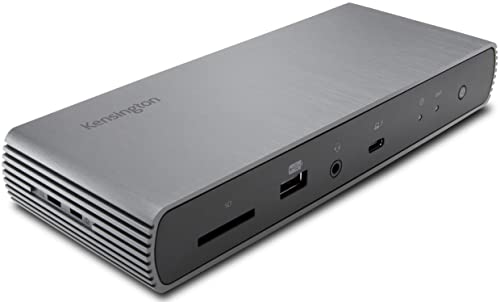
- Thunderbolt 4 docking station for Thunderbolt 4 Windows laptops and Thunderbolt 3 and Thunderbolt 4 MacBooks (macOS 11 or later); if you have a Thunderbolt 3 Windows laptop, this is not the dock for you, see part # K34009US)
- Supports single 8K or dual 4K @ 60 Hz, single 4k @ 120Hz, or dual 1080P @120Hz Hz video output for Thunderbolt 4 devices; (note: any Macs with the M1, M2 or M3 chipset will only display to a single monitor due to Apple’s chipset limitations, but Macs with M1/M2/M3/M4 Pro or Max, and M4 base CPUs will work with dual displays)
- Connect your laptop to the Thunderbolt 4 port (.8 meter Intel Certified TB4 cable included); connect your displays using one or two of the Thunderbolt 4 ports (usb-c to hdmi or usb-c to DisplayPort adapter or cable not included); unused Thunderbolt ports can connect directly to Thunderbolt devices (up to five additional via daisy chain, max 2 per port) while providing transfer speeds up to 40Gbps
- 180 Watt Power Supply delivers 90W power to charge your laptop; delivers additional power to run peripherals like hard drives, and for charging phones and tablets including Thunderbolt 4, Thunderbolt 3, USB 4.0, USB 3 and USB 2 peripherals
- Static charging technology provides 15W to each of the downstream Thunderbolt 4 ports without taking power from the laptop – laptop still receives full 90W of power even when all other ports are utilized; other Thunderbolt 4 docks will divert power away from the laptop
7. HyperDrive Thunderbolt 4 Dock
The HyperDrive Thunderbolt 4 Dock is compact yet powerful, perfect for users with limited desk space. It offers a remarkable number of ports, including Ethernet, HDMI, and multiple USB-A and USB-C ports, making it a versatile choice for connectivity.
What’s unique about HyperDrive is the design, which usually positions the dock vertically. The dock delivers up to 100W power output, supporting even the most power-hungry devices without issue.

- 11 Essential Ports: The HyperDrive Thunderbolt 4 Dock Station offers 11 essential ports, providing a comprehensive connectivity solution for enterprise businesses, PC gamers, and video editors.
- Thunderbolt 4 Performance: This laptop dock is equipped with 2x Thunderbolt 4 Downstream ports capable of 40Gbps data transfers and 32G PCIe transfers, plus a Thunderbolt 4 Upstream port with 96W PD.
- Dual 6K60Hz Display Support: Experience unparalleled gaming and video with our laptop docking stations, featuring dual 4K60Hz displays via HDMI/Thunderbolt, perfect for high-resolution workspaces.
- 8K30Hz or 4K120Hz Resolution: Choose between lifelike 8K30Hz resolution or ultra-smooth 4K120Hz resolution for faster rendering and enhanced visual performance.
- 2.5 Gigabit Ethernet: Enjoy a reliable and fast 2.5 Gigabit Ethernet connection with our computer docking station, ensuring seamless online gaming, video editing, and high-speed internet browsing.
8. Belkin Thunderbolt 4 Dock Pro
Belkin’s Thunderbolt 4 Dock Pro is a highly-rated product that boasts a professional-grade setup. With a rich array of ports and 90W power delivery, it can handle multiple devices with ease, including supporting dual 4K displays.
This dock also features an Ethernet port, allowing for a stable internet connection, while the design and build quality are in line with Belkin’s reputation for durability and efficiency.

- MULTIPORT CORE HUB: Optimize your workspace with a compact 5-in-1 docking station solution. Connect all your devices, charge lightning fast, and transfer data 8x faster than USB 3.0. Compatible with Apple MacBook, PC, laptops, displays, and more.
- THUNDERBOLT 4 DOCK: Equipped with 3x upstream and 1x downstream Thunderbolt 4 USB-C ports, this docking station can power up to 6 daisy-chained devices. Experience consistently high-speed transfer rates up to 40G.
- DUAL MONITOR SUPPORT: This 5 port docking station is built to support high-resolution dual monitors up to 4K at 60Hz, or a single display 8K at 30Hz. It has broad compatibility with USB-C devices and features certified overcurrent protection.
- SMART CHARGING: A powerful multitasker, this hub can charge devices while simultaneously utilizing the other ports, distributing power across all connections. 96W PD ports offer continuous charging speeds and support up to 15W downstream charging.
- BELKIN: We build products that empower people to get more life out of each day. Problem-solving design and an obsession with details are at the core of what we do, with an unwavering dedication to innovative engineering, performance, and reliability.
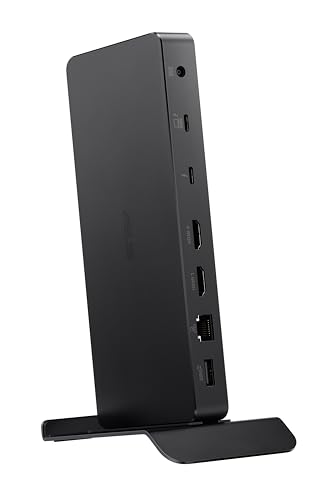
9. ASUS ProArt Thunderbolt 4 Dock
The ASUS ProArt Thunderbolt 4 Dock caters specifically to creators with numerous ports aimed at multimedia connections. It supports USB-C Power Delivery up to 60W, enabling quick charging times for laptops while also allowing you to connect up to two 4K displays or one 8K display.
This dock combines functionality with a stylish design, appealing to those who prioritize aesthetics as well as performance. Users appreciate its reliability in a work-from-home setup.
10. Key Digital Thunderbolt 4 Dock
The Key Digital Thunderbolt 4 Dock rounds out our list with its comprehensive feature set and excellent build quality. It provides an impressive range of connectivity options and ensures reliable data transfer and power delivery to connected devices.
It’s crafted with a user-friendly approach, ensuring that even tech novices can extract maximum utility from it without hassle, proving to be an excellent addition to any workstation.
- 8-in-1 Massive Expansion: The 8-in-1 Thunderbolt 4 Dock is equipped with 3x Thunderbolt 4(40Gbps, 15W), 3x USB A 3.2(10Gbps), a gigabit ethernet, and a 140W DC power ports, which can meet all your high-performance expansion needs
- Powerful Thunderbolt 4: With one upstream and three downstream Thunderbolt 4 ports, you can transfer data at speeds up to 40Gbps and display in resolutions up to 8K. Experience high-performance work like never before
- Dual 4K@60Hz or Single 8K Display: The Thunderbolt 4 Docking Station can extend up to two 4K@60Hz displays or a single 8K@30Hz display for Windows laptops, two 4K@60Hz displays or a single 4K@60Hz display for Macbook with Pro/Max version M-Chips & Intel chips. Please note: For MacBooks with basic M-Chips, the docking station can extend to one 4K@60Hz display. Greatly improve your work efficiency and display experience
- 85W High-speed Charging: With the included 140W GaN charger, this Thunderbolt 4 Hub can charge your laptop up to 85W while working. No need to connect another charger. (The dock must be connected to the charger to work
- Widely Compatible: The Thunderbolt 4 Hub is compatible with most Thunderbolt 4, Thunderbolt 3, USB4, or USB-C computers or tablets, including Macbooks(macOS 11.4 & above), Windows laptops(Windows 10 & above), mac mini, or other tablets with USB-C ports. Note: Full-featured USB-C laptops/tablets only support a single display. Not compatible with Mac mini 2018(intel)
Buying Guide for the Best Thunderbolt 4 Dock
Choosing the best Thunderbolt 4 dock in 2024 requires careful consideration of several factors. Here are key elements to keep in mind:
1. Port Selection
A primary factor when selecting a Thunderbolt 4 dock is the array of ports available. Look for a dock that complements your device’s requirements. The best best Thunderbolt 4 docks come equipped with a mix of Thunderbolt, USB-C, USB-A, HDMI, SD card slots, and Ethernet ports. Consider how many displays you intend to connect and ensure your chosen dock can accommodate them.
2. Power Delivery
Power delivery (PD) specifications can vary significantly between docks. When buying, check the wattage that the dock can output to your laptop—particularly vital if you are using a high-performance laptop that requires more power to operate efficiently or to charge while in use.
3. Size and Design
Consider the size and form factor of the dock. If desk space is a concern, compact models like the HyperDrive are more suitable. Also, aesthetic factors such as design and color may play a role in your decision depending on your personal style preferences or setup themes.
4. Compatibility
Confirm that the dock is compatible with your devices. While most Thunderbolt 4 docks are broadly compatible, checking if it specifically supports your laptop brand and other peripherals can save you from compatibility issues later.
5. Build Quality and Heat Management
The build quality of the dock not only affects its longevity but also its heat dispersion capabilities. Look for docks made of high-quality materials and designs that allow for optimal cooling. Aluminum enclosures are preferred for their sturdiness and effectiveness in heat management.
6. Price and Warranty
Lastly, consider your budget alongside warranty and support features. Often, investing slightly more in a reliable dock can save you money in the long run, especially if it comes with a robust warranty and customer support.
In conclusion, choosing the best Thunderbolt 4 dock can significantly enhance your workstation’s performance and connectivity. Assess your specific needs against the features offered by these top-rated options on Amazon to find the perfect fit for you. Make sure to take into account all the mentioned factors in your buying guide as you explore the best best Thunderbolt 4 docks in 2024!
Last update on 2026-08-18 / Affiliate links / Images from Amazon Product Advertising API | hishecozy.com is a participant in the Amazon Associate program and will earn from qualifying purchases.
